


Ruby logging libraries compared: Logger, Lograge, Semantic Logger, and more
Compare six Ruby logging libraries. Choose a Rails request format, decide how to handle slow writes, and check the final output your collector sees.
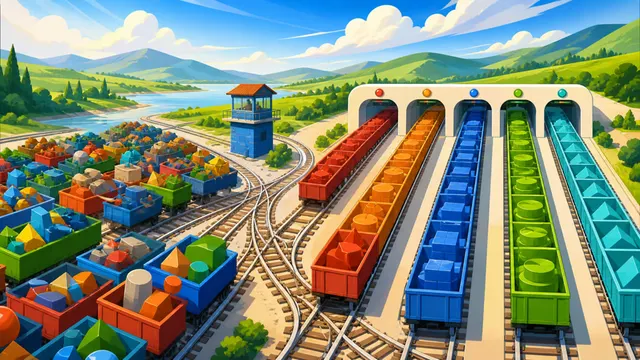
A checkout request returns 503. The Rails request summary describes the response, and an application error explains which upstream call timed out. You may want both in the same log explorer, but the fields have different jobs. Choosing a Ruby logging library starts with deciding who writes each record and what the collector will receive.
Ruby's Logger is a good starting point for a script or a service with one output. In Rails, decide whether the request log needs its own formatter before replacing the application logger. A different choice makes sense when you need structured payloads, several destinations, or a defined policy for slow writers.
Six Ruby logging libraries at a glance
| Option | Where it fits | What to check |
|---|---|---|
| Ruby Logger | Synchronous logging to one IO or file, with configurable levels and a formatter | Default output is text. A JSON formatter and file rotation are separate choices |
| Lograge | A concise Rails request summary | Its default is key-value. JSON is opt-in, and the configured logger determines the final line |
| Semantic Logger | Structured payloads and multiple appenders, with a background writer by default | Set the queue and slow-destination policy. Version 5.2.0 requires Ruby 3.2 or later |
| Log4r | Existing code using hierarchical loggers and named outputters | The latest RubyGems release checked was 1.1.10 in 2012. Verify the exact Ruby and configuration in use |
| Logging | Existing code using multiple appenders and configurable layouts | Its JSON layout and buffered appenders can affect migration. The latest RubyGems release checked was 2.4.0 in 2024 |
| Ougai | A Logger subclass with structured fields and default Bunyan JSON |
Level numbers, time encoding, and exception shape depend on the formatter. Version 2.1.0 requires Ruby 3.1 or later |
Ruby Logger comes with Ruby as a standard library and is also distributed as a gem. Its file device synchronizes writes and can rotate by size or period when configured for a file. Start with that when it satisfies your output requirements. For JSON with less formatter code, Ougai supports structured data and a before_log hook. Its Bunyan formatter uses a numeric level and a timestamp string. Its Pino formatter uses epoch milliseconds and formats exceptions differently. Confirm which schema your parser expects. Ougai formatters
Decide who writes the Rails request summary
Lograge summarizes subscribed Rails events. Its controller summary includes method, path, status, and duration. It adds DB and view times when those values are available. It does not generate the business event you would write when a payment fails. Lograge 0.15.1 defaults to Lograge::Formatters::KeyValue and sends the formatted message at info unless configured otherwise. Configure Lograge::Formatters::Json for a JSON message, then check the logger receiving it. Lograge configuration
That last step matters when Lograge and an application logger share a destination. Rails may already produce request events through another integration, including rails_semantic_logger. Inspect an actual request after enabling Lograge. A duplicate request summary can inflate HTTP failure counts, while two distinct records from the same failed request can be exactly what you want. Keep HTTP status on the request event and severity on the log event. Semantic Logger Rails integration
Choose what happens when a destination slows down
Semantic Logger can send the same structured event to several appenders. A background thread takes the writes off the application path while the queue has room. In version 5.2.0 the default main queue holds 10,000 messages. When full, the default policy blocks the caller. Opting into non-blocking mode for a capped queue trades the wait for dropped messages. Check queue depth and dropped messages against the slowest appender, especially when a file and a remote sink share the path. Semantic Logger operations
On normal exit the library attempts to flush the queue, and you can call SemanticLogger.flush explicitly. That addresses outstanding writes to configured appenders. A process crash can still lose events in memory, and a completed flush does not confirm persistence in a downstream service. If a record is an audit requirement, specify durable delivery and failure handling separately. For Log4r and Logging migrations, inventory the old outputters or appenders and their format before deciding what a replacement must preserve.
Look at the line the collector actually receives
A local fixture used the Lograge 0.15.1 formatters directly on a synthetic request and ran Ruby Logger 1.7.0 on Ruby 2.6.10. It produced these fields:
| Output stage | What the fixture saw |
|---|---|
| Lograge key-value formatter | method=GET path=/checkout status=503 duration=42.50 |
| Lograge JSON formatter | Numeric status: 503 and duration: 42.5 in the JSON object |
Same JSON passed to the default Ruby Logger at info |
A text prefix with INFO followed by the JSON message |
| Ruby Logger with a custom JSON formatter for the application error | level: "ERROR", message: "upstream timeout", and an ISO 8601 time |
A parser that expects the entire line to be JSON cannot read the default text prefix as part of that object. A structured outer logger can instead encode the JSON as a string under its own message field. Check the exact output mode. This test exercised the formatters and the default wrapper locally. The runtime evidence covers the formatting path.
DataKit can collect configured container stdout or files. In Guance Pipeline, test the final request and application lines, then inspect the parsed event time, severity, payload, and numeric response code. Keep the request's 503 in a distinct field such as http_status_code. Map ERROR or the logger's numeric level to the severity field the log monitor uses. Then try the same request and error filters on a test source. DataKit log collection · Guance Pipeline
Ruby logging fundamentals · Rails logging · Semantic Logger in practice
Contact us
Join the community

to join the community
Try Guance
Start online and pay only for what you use.
Get startedChoose a Guance plan