使用 OpenTelemetry 对 OpenResty 进行链路追踪最佳实践
本文介绍如何使用 OpenTelemetry 对 OpenResty 进行链路追踪。

简介
本文介绍如何使用 OpenTelemetry 对 OpenResty 进行链路追踪。OpenResty 是一个基于 Nginx 与 LuaJIT 的高性能 Web 平台,通过集成 Lua 脚本语言,提供了强大的动态处理能力。OpenResty 支持通过 ngx_otel_module 模块采集调用链数据,并直接上报至观测云平台。
观测云
观测云采集器 DataKit 支持 OpenTelemetry 采集插件,能够接收 ngx_otel_module 模块链路数据并在平台统一分析。
部署 DataKit
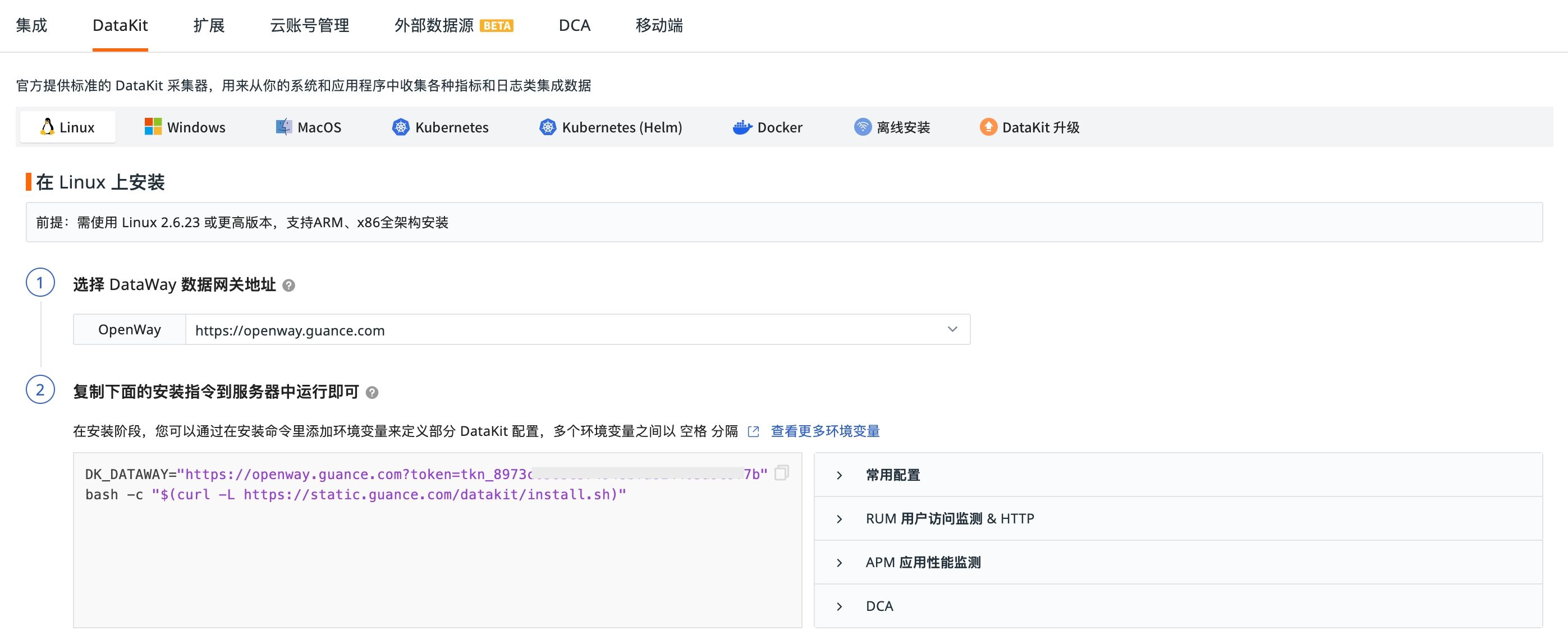
登录观测云控制台,点击「集成」-「DataKit」-「Linux」,复制安装命令在服务器执行即可。
开启 OpenTelemetry 插件
# 进入采集器配置文件目录
cd /usr/local/datakit/conf.d/samples
# 开启配置文件
cp opentelemetry.conf.sample opentelemetry.conf
# 重启 Datakit
datakit service -R
接入步骤
构建 ngx_otel_module 模块
- 安装构建工具和依赖项
sudo apt update

sudo apt install cmake build-essential libssl-dev zlib1g-dev libpcre3-dev

sudo apt install pkg-config libc-ares-dev libre2-dev # for gRPC
- 确定 OpenResty 使用的 Nginx 版本和编译配置
openresty -V
以下为输出示例:
openresty -V
#nginx version: openresty/1.25.3.2
#built with OpenSSL 1.1.1w  11 Sep 2023
#TLS SNI support enabled
#configure arguments: --prefix=/usr/local/openresty/nginx --with-cc-opt='-O2 -DNGX_LUA_ABORT_AT_PANIC -I/usr/local/openresty/zlib/include -I/usr/local/openresty/pcre/include -I/usr/local/openresty/openssl111/include' --add-module=../ngx_devel_kit-0.3.3 --add-module=../echo-nginx-module-0.63 --add-module=../xss-nginx-module-0.06 --add-module=../ngx_coolkit-0.2 --add-module=../set-misc-nginx-module-0.33 --add-module=../form-input-nginx-module-0.12 --add-module=../encrypted-session-nginx-module-0.09 --add-module=../srcache-nginx-module-0.33 --add-module=../ngx_lua-0.10.26 --add-module=../ngx_lua_upstream-0.07 --add-module=../headers-more-nginx-module-0.37 --add-module=../array-var-nginx-module-0.06 --add-module=../memc-nginx-module-0.20 --add-module=../redis2-nginx-module-0.15 --add-module=../redis-nginx-module-0.3.9 --add-module=../ngx_stream_lua-0.0.14 --with-ld-opt='-Wl,-rpath,/usr/local/openresty/luajit/lib -L/usr/local/openresty/zlib/lib -L/usr/local/openresty/pcre/lib -L/usr/local/openresty/openssl111/lib -Wl,-rpath,/usr/local/openresty/zlib/lib:/usr/local/openresty/pcre/lib:/usr/local/openresty/openssl111/lib' --with-pcre-jit --with-stream --with-stream_ssl_module --with-stream_ssl_preread_module --with-http_v2_module --with-http_v3_module --without-mail_pop3_module --without-mail_imap_module --without-mail_smtp_module --with-http_stub_status_module --with-http_realip_module --with-http_addition_module --with-http_auth_request_module --with-http_secure_link_module --with-http_random_index_module --with-http_gzip_static_module --with-http_sub_module --with-http_dav_module --with-http_flv_module --with-http_mp4_module --with-http_slice_module --with-http_gunzip_module --with-threads --with-stream --without-pcre2 --with-http_ssl_module
- 下载对应版本的 Nginx 源码
git clone https://github.com/nginx/nginx.git
cd nginx
git checkout {OPENRESTY_NGINX_VERSION}  # 切换到对应版本Tag
{OPENRESTY_NGINX_VERSION} 替换为对应版本 Tag,以 1.25.3.2 版本为例,对应的版本 Tag 为 release-1.25.3。
- 配置 Nginx 编译参数
在 nginx 源码根目录执行以下命令
./auto/configure {NGINX_CONFIGURE_ARGUMENTS} --with-compat
{NGINX_CONFIGURE_ARGUMENTS} 为获取的 configure arguments 内容,并移除与 --add-module 相关的参数配置。
- 下载 ngx_otel_module 模块源码
cd ..
git clone https://github.com/nginxinc/nginx-otel.git
cd /nginx-otel
- 编译 ngx_otel_module 模块
创建并进入 build 目录进行编译,编译完成后会在 build 目录生成 ngx_otel_module.so 文件。
mkdir build
cd build
cmake -DNGX_OTEL_NGINX_BUILD_DIR=/nginx/objs ..
make
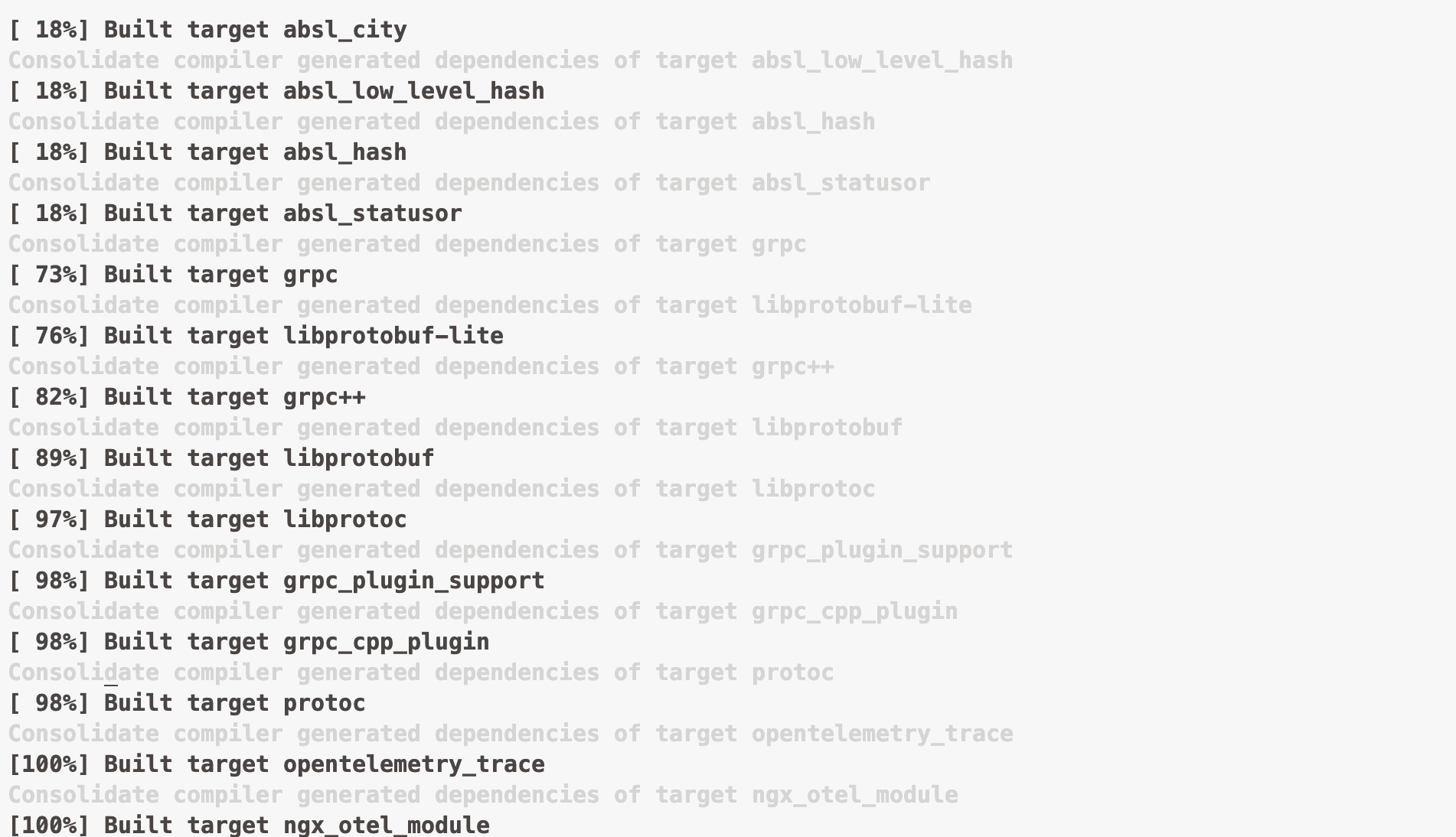
启用 ngx_otel_module 模块
- 将
ngx_otel_module.so模块文件复制到 nginx modules 目录
mkdir -p /usr/local/openresty/nginx/modules/
cp ngx_otel_module.so /usr/local/openresty/nginx/modules/
- 配置 nginx.conf
为 OpenResty 启用链路追踪,您需要在 Nginx 主配置文件 /usr/local/openresty/nginx/conf/nginx.conf 中加载 ngx_otel_module 模块并添加配置项。注意 ngx_otel_module 模块目前仅支持 gRPC 方式上报,不支持 HTTP 方式上报。关于 ngx_otel_module 模块的更多参数配置信息,请参考 https://nginx.org/en/docs/ngx_otel_module.html
load_module modules/ngx_otel_module.so; # 加载 ngx_otel_module
...
http {
    ...

    otel_exporter {
        endpoint "127.0.0.1:4317"; #  gRPC 接入点
        #header Authentication "${GRPC_TOKEN}"; # 前提条件中获取的鉴权 Token
    }

    otel_trace on;                     # 开启链路追踪
    otel_service_name openresty-otel;  # 应用名
    otel_trace_context propagate;      # 向下游服务注入Trace上下文
    ...
}
- 检查 nginx.conf 配置是否正确
/usr/local/openresty/nginx/sbin/nginx -t
如下,表明配置无误
nginx: the configuration file /usr/local/openresty/nginx/conf/nginx.conf syntax is ok
nginx: configuration file /usr/local/openresty/nginx/conf/nginx.conf test is successful
- 重载配置
# 方式1: 使用 openresty 命令重载配置
openresty -s reload

# 方式2: 使用 nginx 命令重载配置
/usr/local/openresty/nginx/sbin/nginx -s reload
注意事项
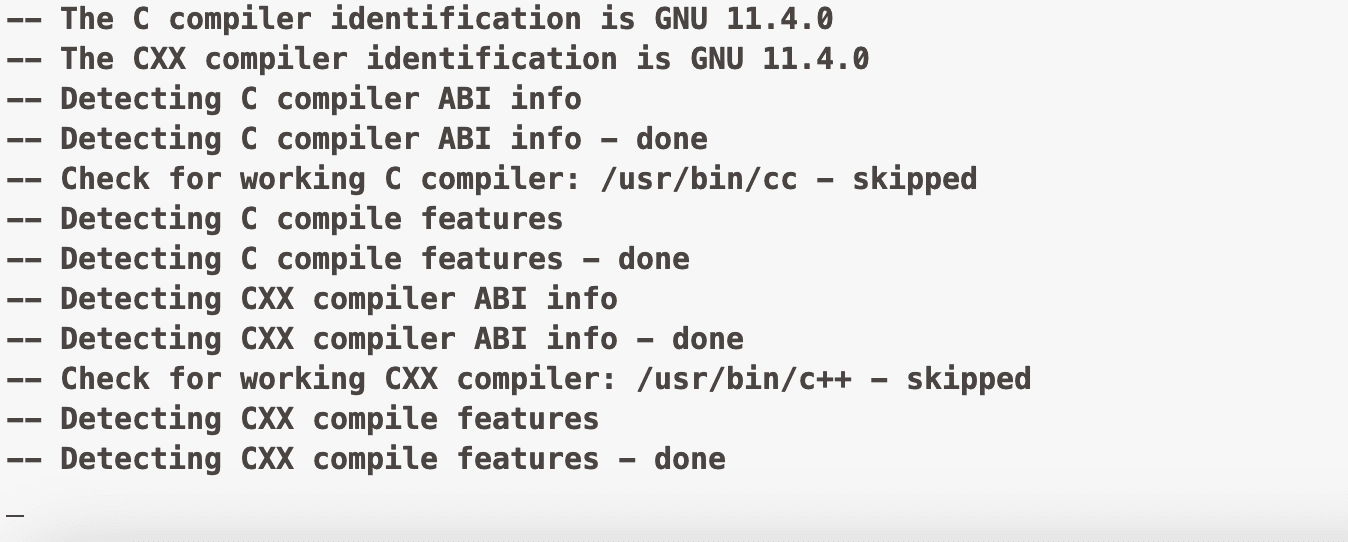
如果执行编译,出现如图所示卡住的情况,可以通过以下方案解决:
- 确保使用完全相同的 nginx 版本。
- 使用
nginx -V查看当前 nginx 的编译参数。 - 执行
openresty -V检查configure arguments参数是否正确。
然后重新编译即可
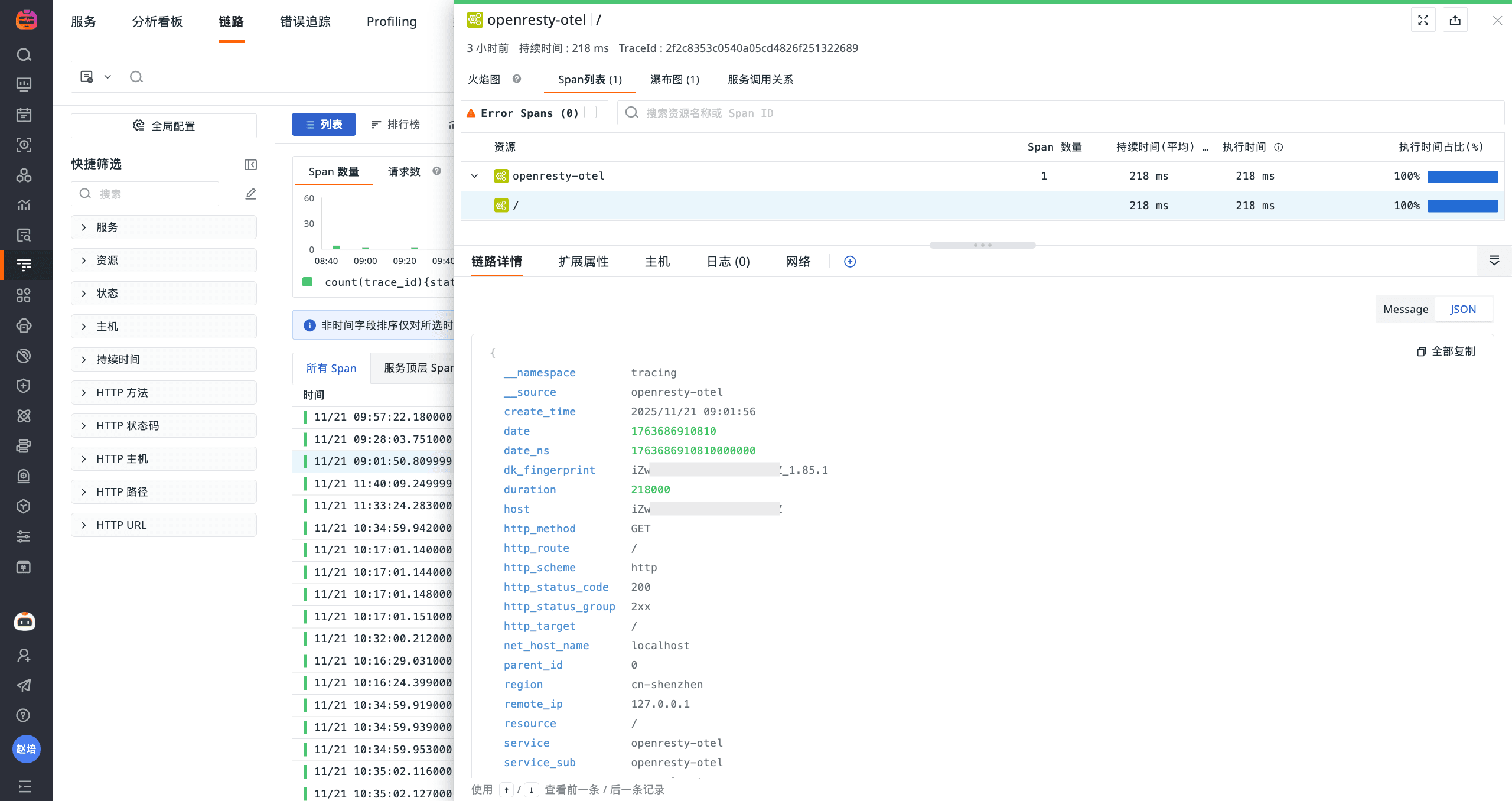
查看链路
总结
OpenResty(Nginx+LuaJIT 高性能 Web 平台)通过 ngx_otel_module 模块采集调用链数据,经观测云 DataKit 采集器的 OpenTelemetry 采集器接收,实现链路追踪数据在观测云平台的统一分析上报。