






Phone:400-882-3320


Connect an MCP-compatible client to Guance
Configure the documented endpoint and authentication, verify the connection, and inspect the tool catalog before giving the client an operational task.

Incident Management

Platform

AI
Dedicated compute
Dedicated compute keeps concurrent queries stable and complex analysis fast.
Learn moreDedicated compute
Dedicated compute keeps concurrent queries stable and complex analysis fast.
Learn moreWhat Guance MCP Server does
The server provides a standard tool interface; it does not grant unrestricted platform access or make an Agent’s conclusion automatically correct. Tool visibility follows the API Key permissions, and write tools can modify resources. Review the tool, inputs, returned evidence, and approval boundary for each workflow.
Configure the endpoint, authentication, and tool approval behaviour in the client. Client-specific fields and capabilities can differ, so verify the current Guance and client documentation.
 Trae
Trae Cursor
 Windsurf
 Claude Desktop
 VS Code
 Codex
CodexNo live context: an assistant cannot verify current system state from conversation text alone.
Broad credentials: an over-permissioned connection can expose data or actions beyond the intended task.
Opaque tool use: a conclusion is difficult to trust when the selected tool, parameters, and result are hidden.
Write risk: management tools can change workspace resources if an Agent runs them without approval.
Structured tools: MCP provides descriptions and input schemas that a compatible client can inspect.
Credential boundary: Guance tool visibility and results follow the configured API Key permissions.
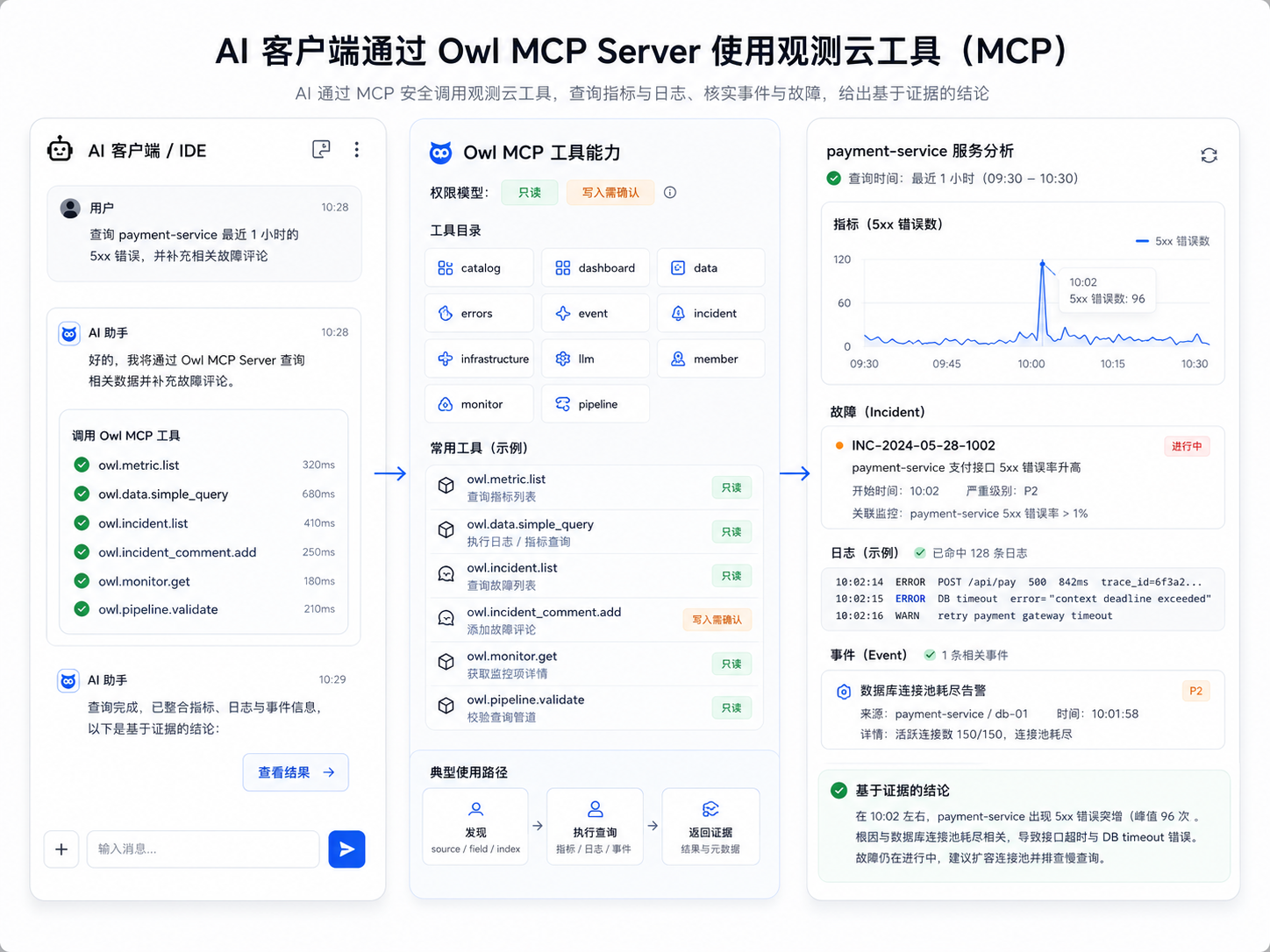
Evidence path: queries return data that can be reviewed separately from the model’s narrative.
Approval control: teams can require confirmation before write tools or sensitive workflows run.
Configure the documented endpoint and authentication, verify the connection, and inspect the tool catalog before giving the client an operational task.
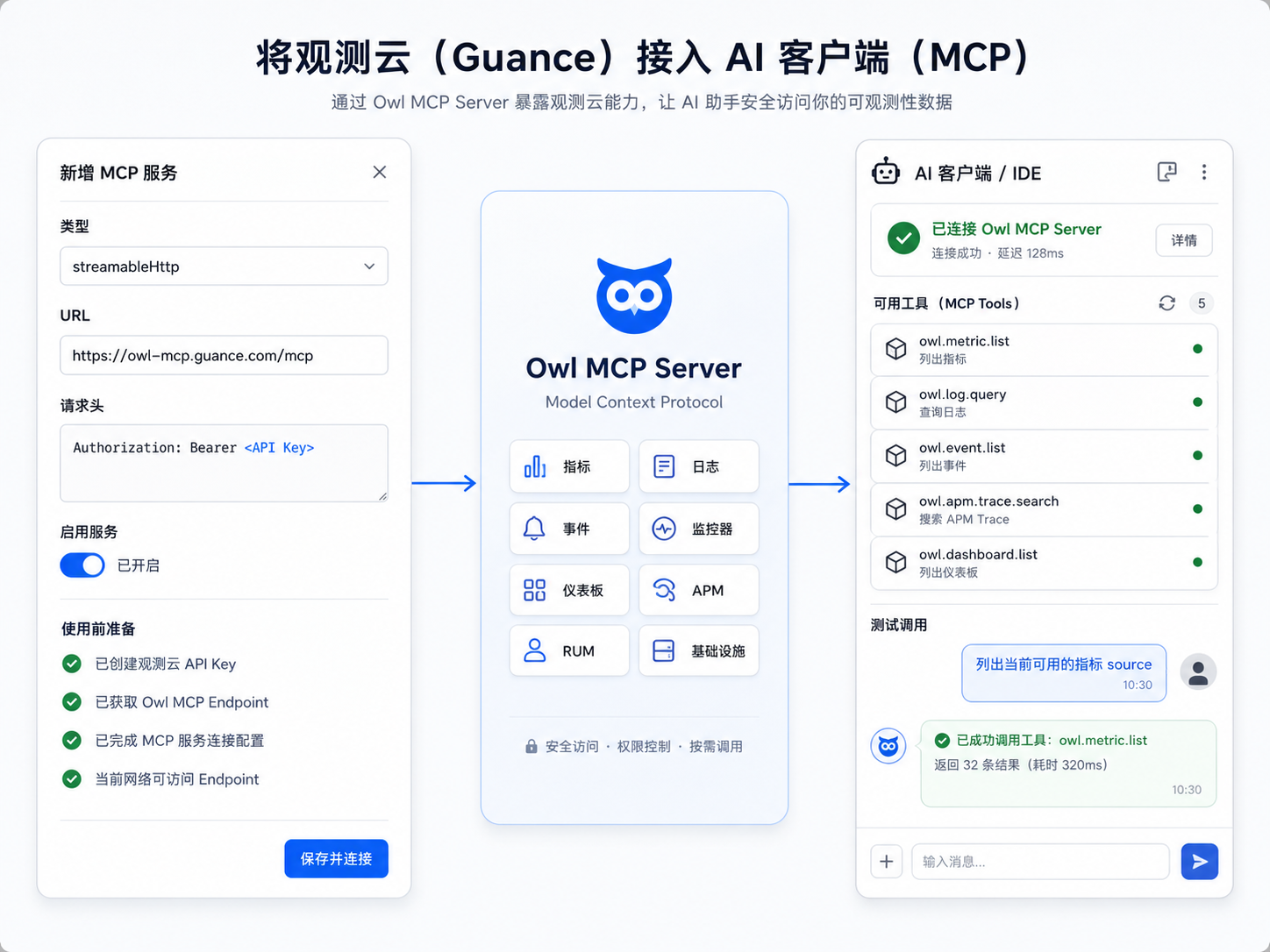
Query a defined service, resource, or time window and keep the tool inputs and returned records available for engineering review.
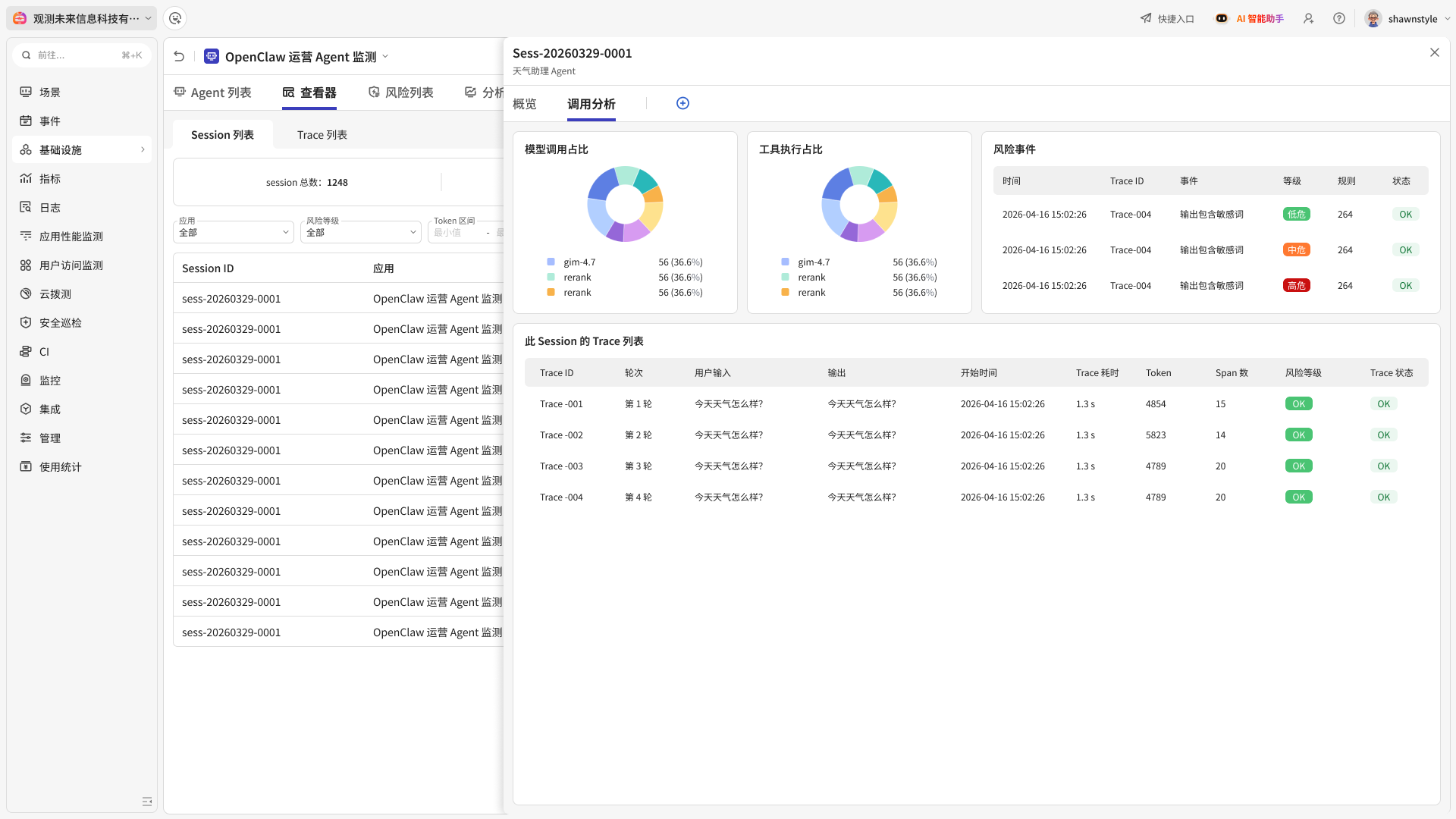
Use Agent Observability for the Agent execution path and MCP permissions or approvals for access to Guance operations.
Guance OWL MCP Server exposes supported Guance tools to compatible AI clients through the Model Context Protocol. It lets a client request observability context or supported actions through structured tool calls.
Visible tools, accessible resources, and execution results follow the configured API Key permissions. Write tools can modify workspace resources, so Guance recommends a manual confirmation or approval mechanism for Agent and MCP-client workflows.
Use MCP Server when an MCP-compatible AI client should discover and call Guance tools directly. Use OWL CLI for terminal, script, or command-oriented Agent workflows. Both use the same tool-oriented Guance capability layer.
Connect model requests, latency, errors, token use, and workflow spans for investigation.
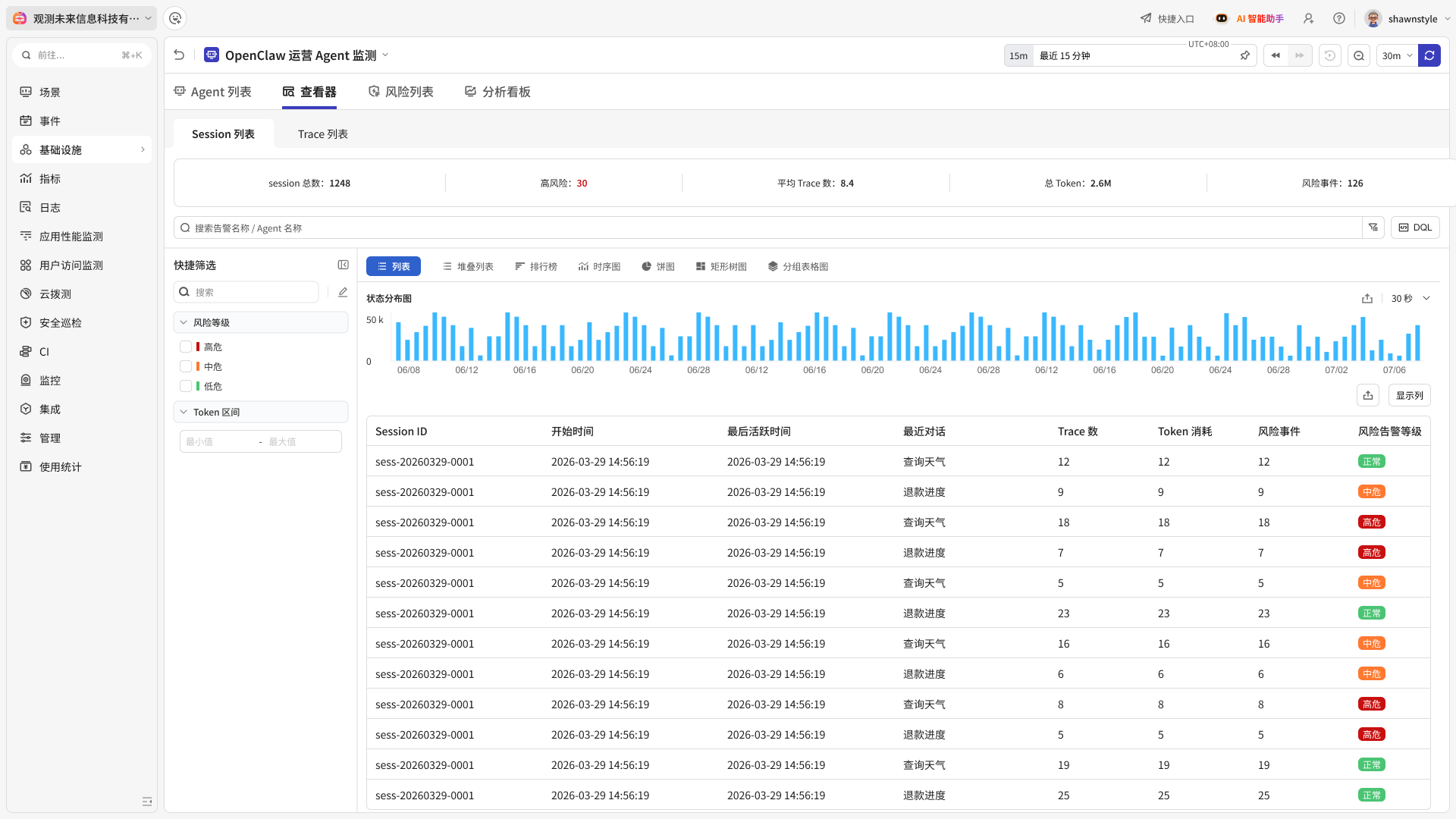
Capture Agent sessions, traces, tool calls, and execution context without treating model output as evidence by itself.
Synchronise the available tool catalog, inspect schemas, and execute authorised Guance tools from a terminal.
Configure an MCP connection, verify authentication, and review the tools exposed to the client.
