Contact us

Join the community

Scan with WeChat
Join the official community group

Try Guance

Start online with usage-based pricing and a true cloud service.

Get started

Choose a Guance edition

Code repositories

Incident Tracking

Anomaly tracking

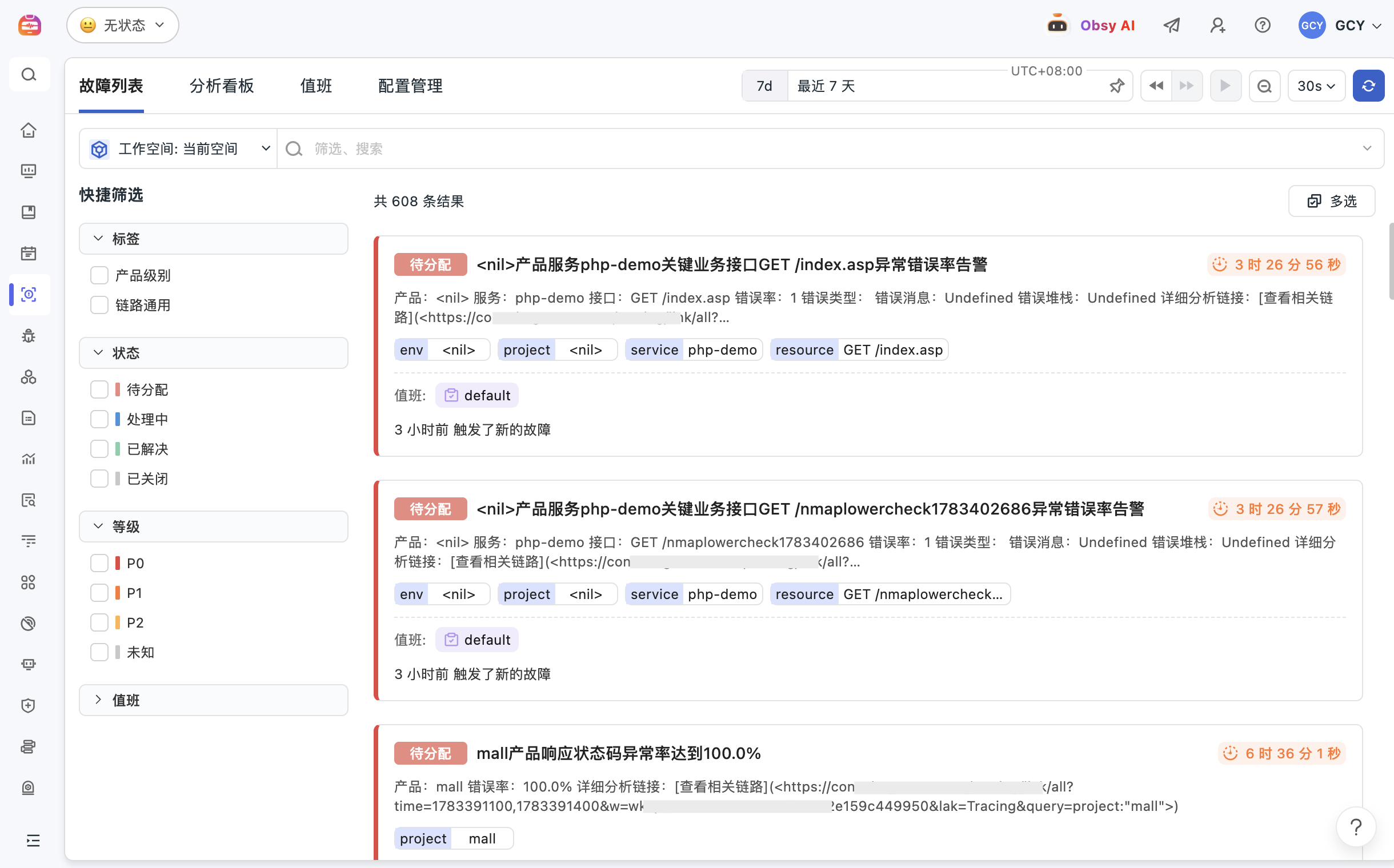
Guance exception tracking centrally manages alerts, errors, issues, event context, and team collaboration records, helping R&D, SRE, and operations teams form a closed loop from anomaly detection, impact identification, responsibility assignment, to review and settlement, reducing redundant inspections and cross-team communication costs.

Anomaly tracking
Book a demo

Exception tracking solves what problems it solves

Integrate anomalies, handling progress, and review experiences into the same context

Troubleshooting isn't just about finding anomalies; it's also about knowing who is handling it, how progress is progressing, where the evidence is, and how to avoid it next time. Anomaly tracking links monitoring alerts, logs, traces, events, and collaboration records together to help teams manage the problem lifecycle.

When abnormalities occur, do not let evidence scatter in screenshots, group chats, or personal inquiries
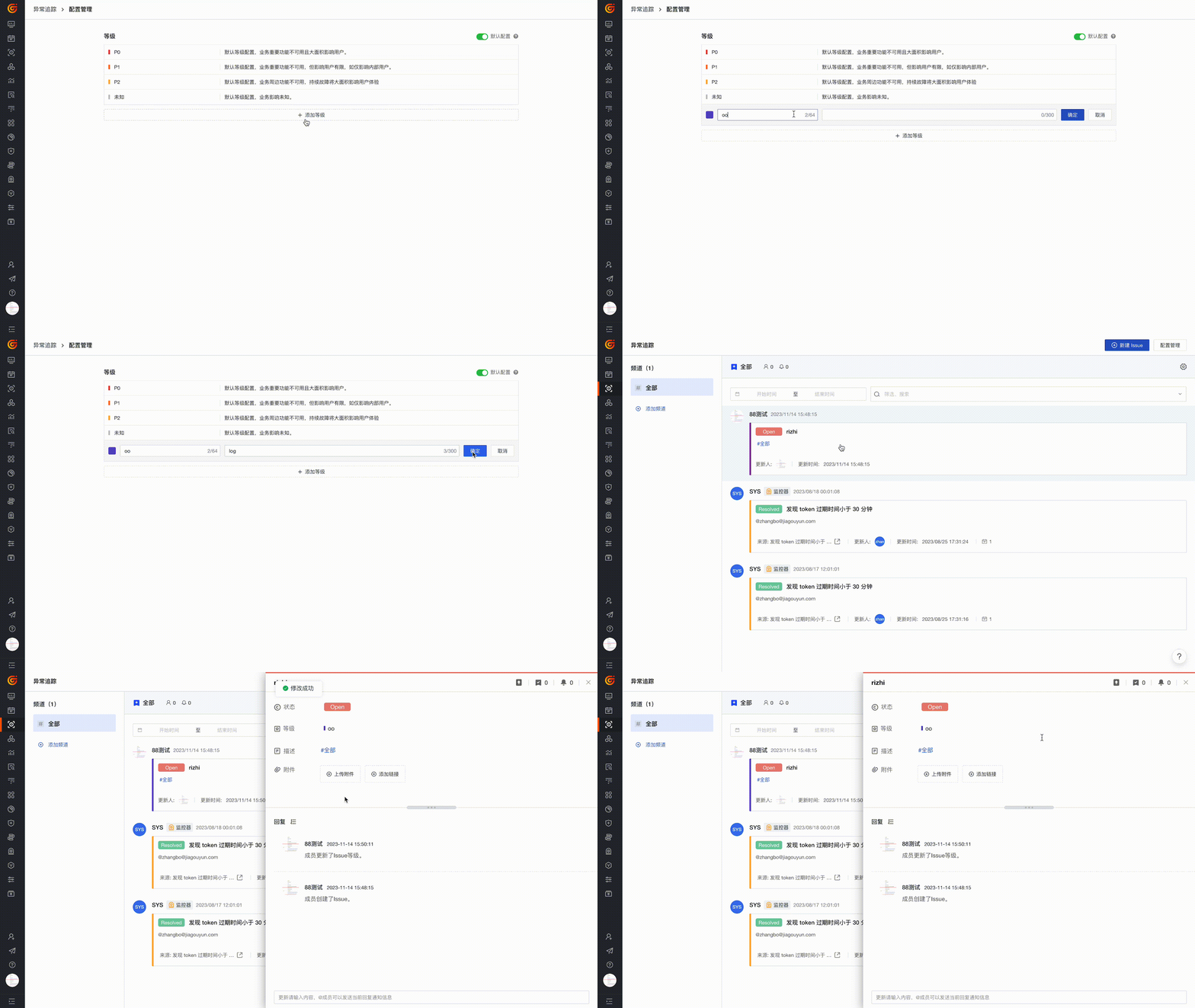
Exception tracking supports one-click Issue creation from multiple entry points such as dashboards, events, logs, and monitoring, while preserving query conditions and context at that time. Teams can customize anomaly levels, statuses, and classifications to turn temporarily discovered issues into trackable targets.
When abnormalities occur, do not let evidence scatter in screenshots, group chats, or personal inquiries
Who's responsible and how far to handle it should be visible to the team continuously
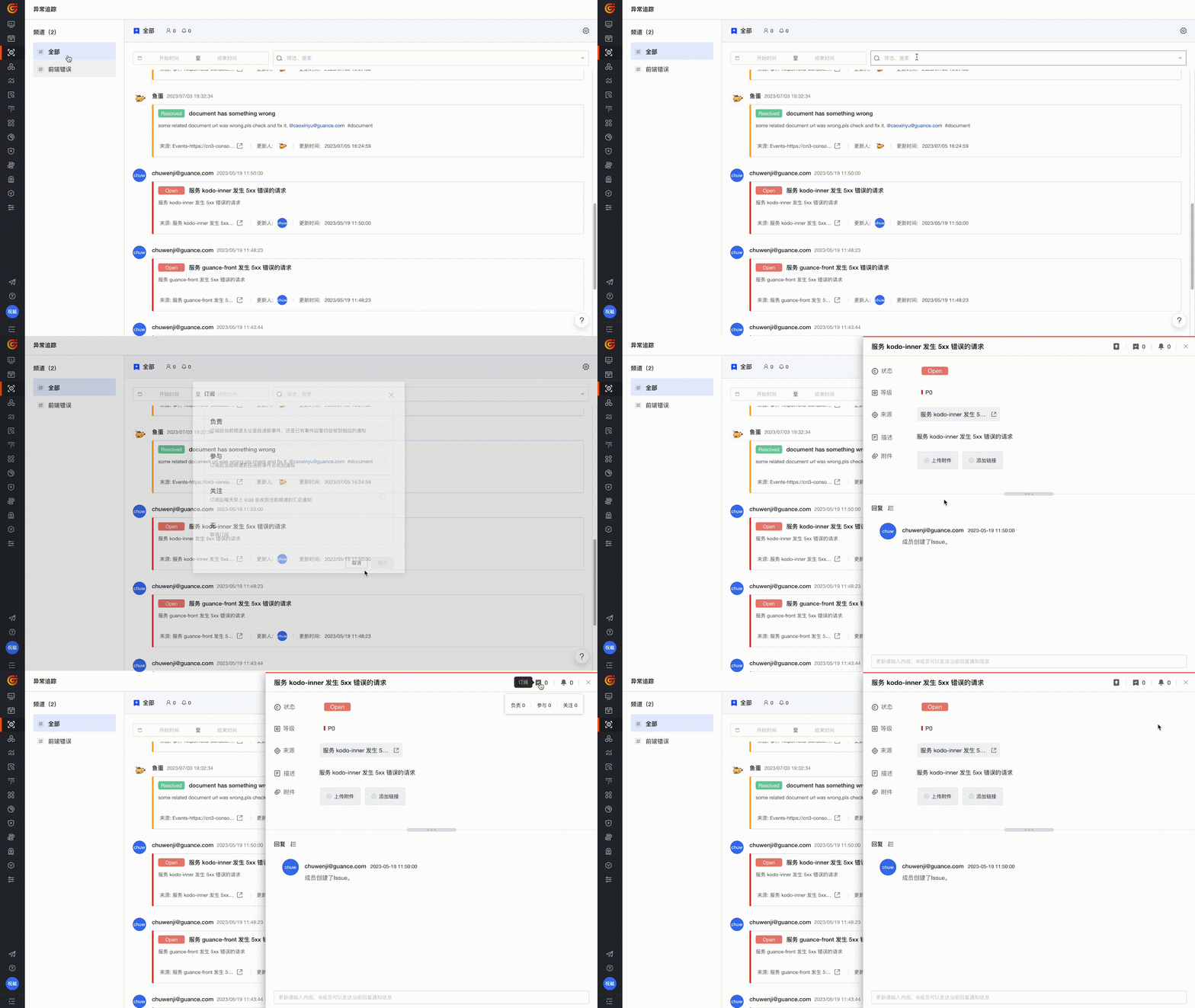
Abnormal issues can be filtered and subscribed to by channel, time, level, responsible person, and status, and can be linked with notifications via Feishu, DingTalk, or WeCom notifications. R&D, SRE, and operations can communicate progress around a single issue, reducing duplicate synchronization and unclear boundaries of responsibility.
From Issue back to alerts, events, logs, and links, only by reviewing can there be evidence
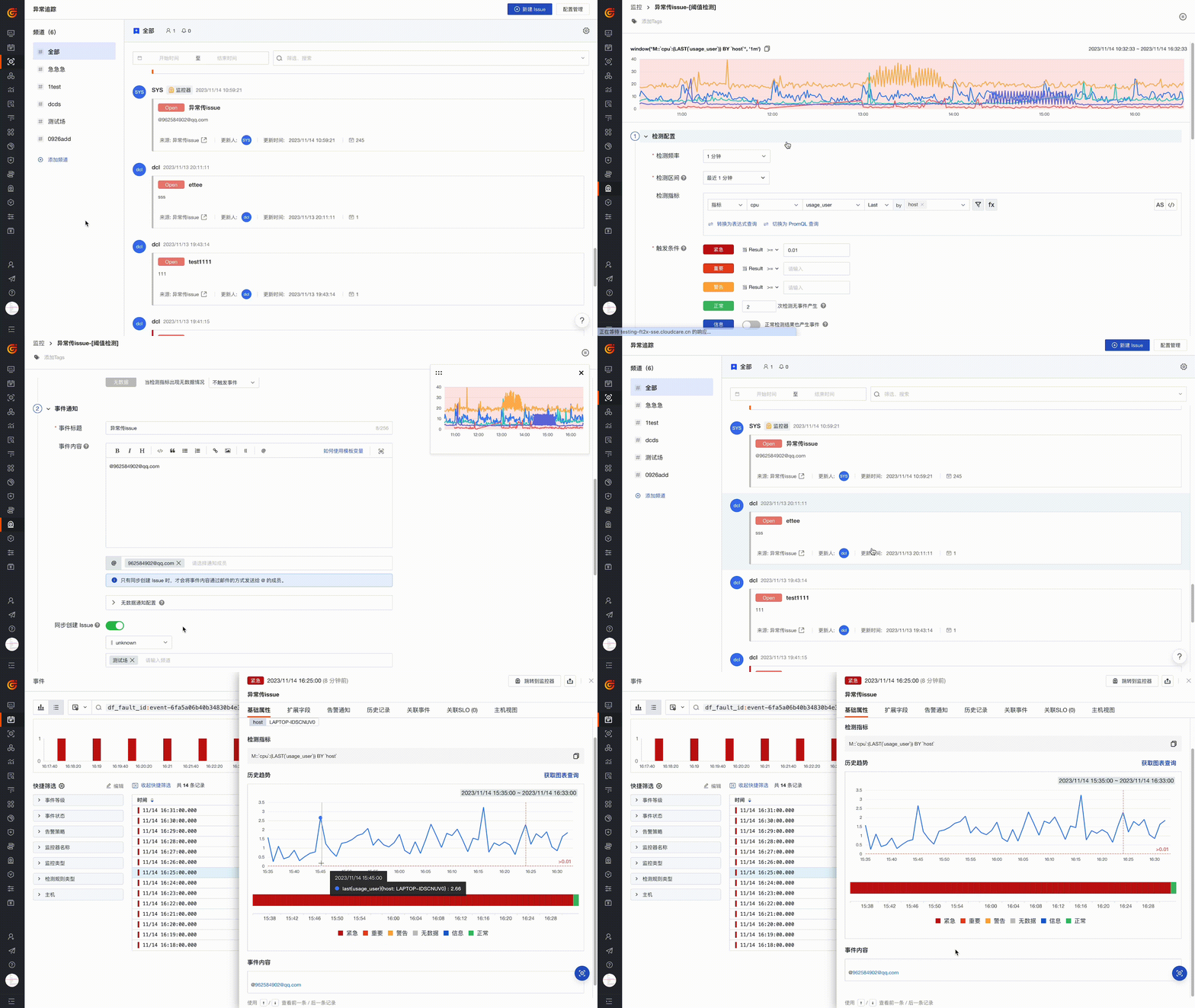
Anomaly tracking can be associated with monitoring alerts, event centers, logs, APM Trace, and infrastructure data. Handlers can trace back from the issue to the original evidence to determine the scope of impact and root causes; During reviews, you can also accumulate the process and experience, reducing the recurrence of similar issues.
From Issue back to alerts, events, logs, and links, only by reviewing can there be evidence

Frequently asked questions

What is anomaly tracking?

Exception tracking is used to manage the handling of system anomalies, alerts, and issues, centralizing issue discovery, contextual evidence, responsible persons, status, and collaboration records into a single workflow.

What is the difference between anomaly tracking and event center?

The Incident Center focuses on unified management of alerts, changes, and security events; Anomaly tracking focuses more on promoting collaboration, status tracking, and review around specific issues. The two can be used in tandem.

How does anomaly tracking help team collaboration?

Teams can create Issues from multiple viewers, assign responsible persons, set levels and statuses, and synchronize progress via Feishu, DingTalk, or WeCom, making exception handling more transparent.

What contexts can anomaly tracking relate?

Anomaly tracking can link monitoring alerts, events, logs, APM Traces, dashboards, and infrastructure data, helping teams retain troubleshooting evidence and conduct reviews.

Explore more

Resources and further reading

Choose the next step from product documentation, related solutions, and technical guidance.

Related reading

Selected product practices, troubleshooting guidance, and technical solutions

Want to see how anomaly tracking affects your business systems?

Book a demo