Contact us

Join the community

Scan with WeChat
Join the official community group

Try Guance

Start online with usage-based pricing and a true cloud service.

Get started

Choose a Guance edition

Code repositories

Notes / Knowledge Layer

Guance Notes

Guance notes are the knowledge layer within the observable data infrastructure, distilling fault review, troubleshooting processes, graphical evidence, and business object tags into a long-term knowledge base that both humans and AI Agent can read, retrieve, and reuse.

Guance notes
Book a demo

Guance notes solve the problem

Let every inspection accumulate into reusable team knowledge

When issues like Redis failures, frontend 5xx, and dashboard data missing repeatedly occur, what is truly lost is often not the data, but the judgment path, query conditions, chart evidence, and processing conclusions at that time. Guance notes bind this information to business objects such as service, host, dashboard, database, allowing engineers, Obsy AI Copilot, and Guance Agent Teams to directly recall historical experiences when the next issue arises.

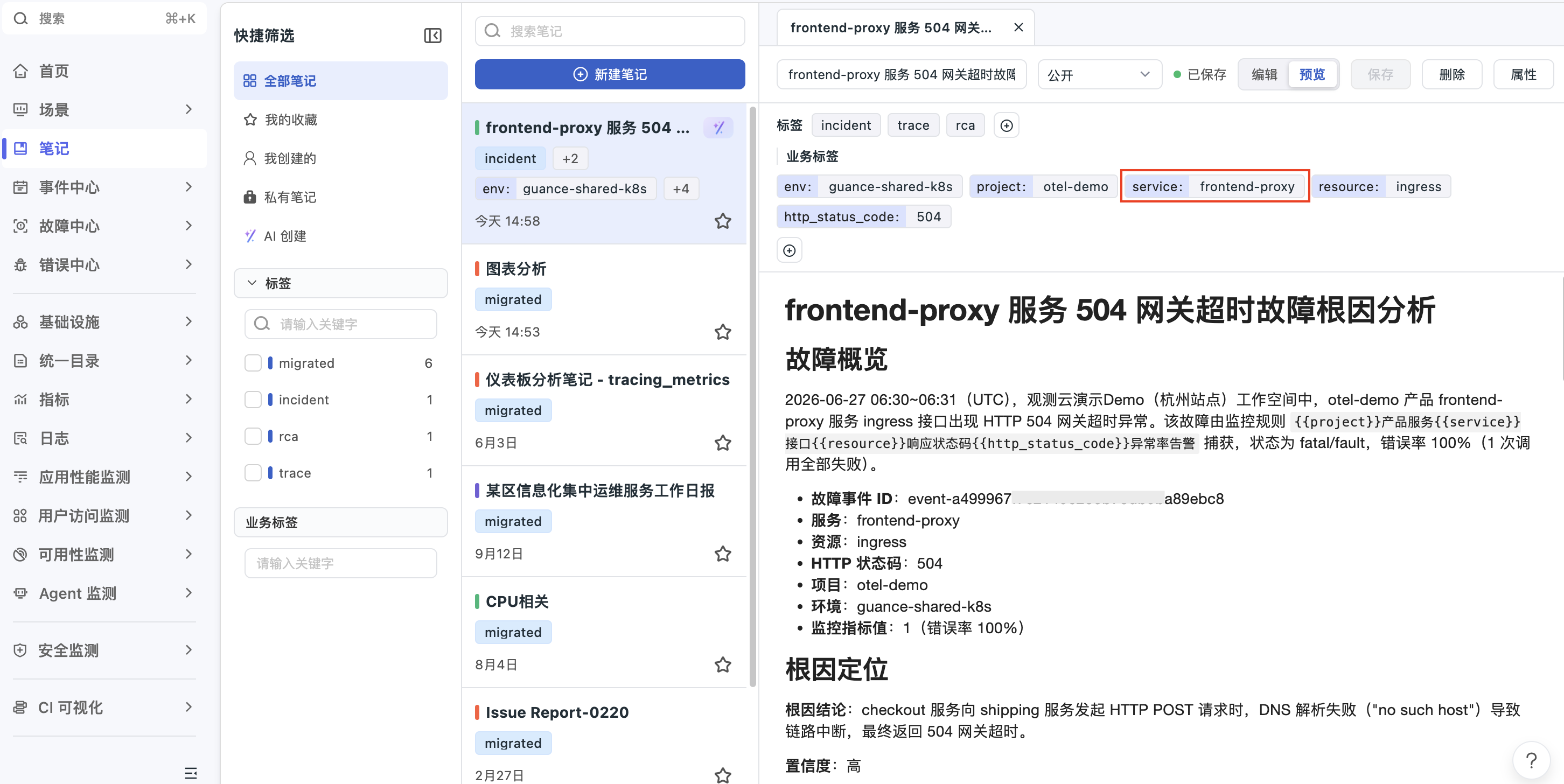
Is troubleshooting experience always scattered? First, bind fault reviews to the business target
- Use service tags such as service, host, dashboard, and database to associate notes with real observation objects.
- When new colleagues view objects on the service detail page or unified directory, they can directly see relevant historical notes, processing procedures, and conclusions.
- Suitable for recurring issues such as 5xx, Redis, DNS, dashboard data failures, and release changes.
Is troubleshooting experience always scattered? First, bind fault reviews to the business target
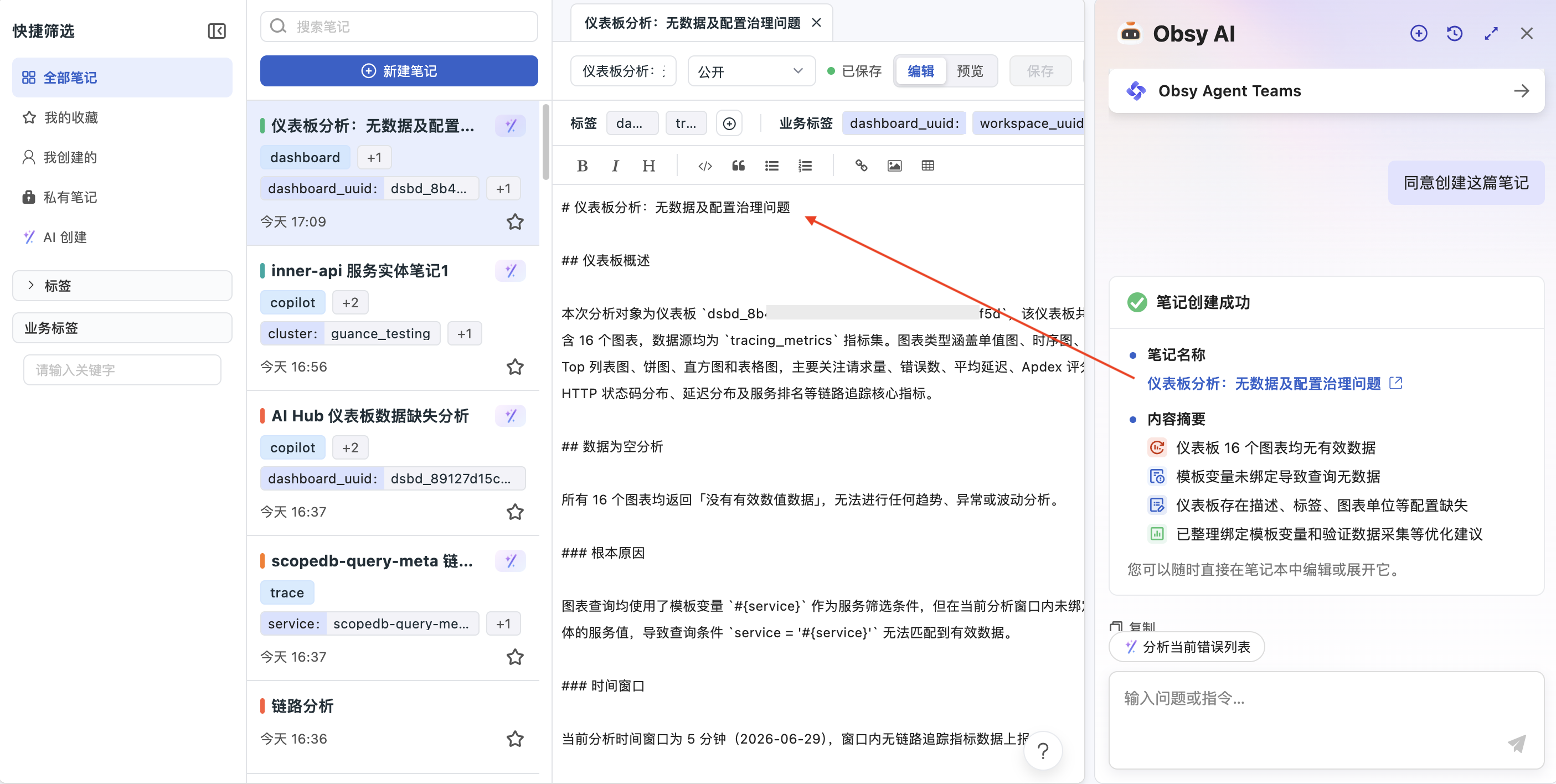
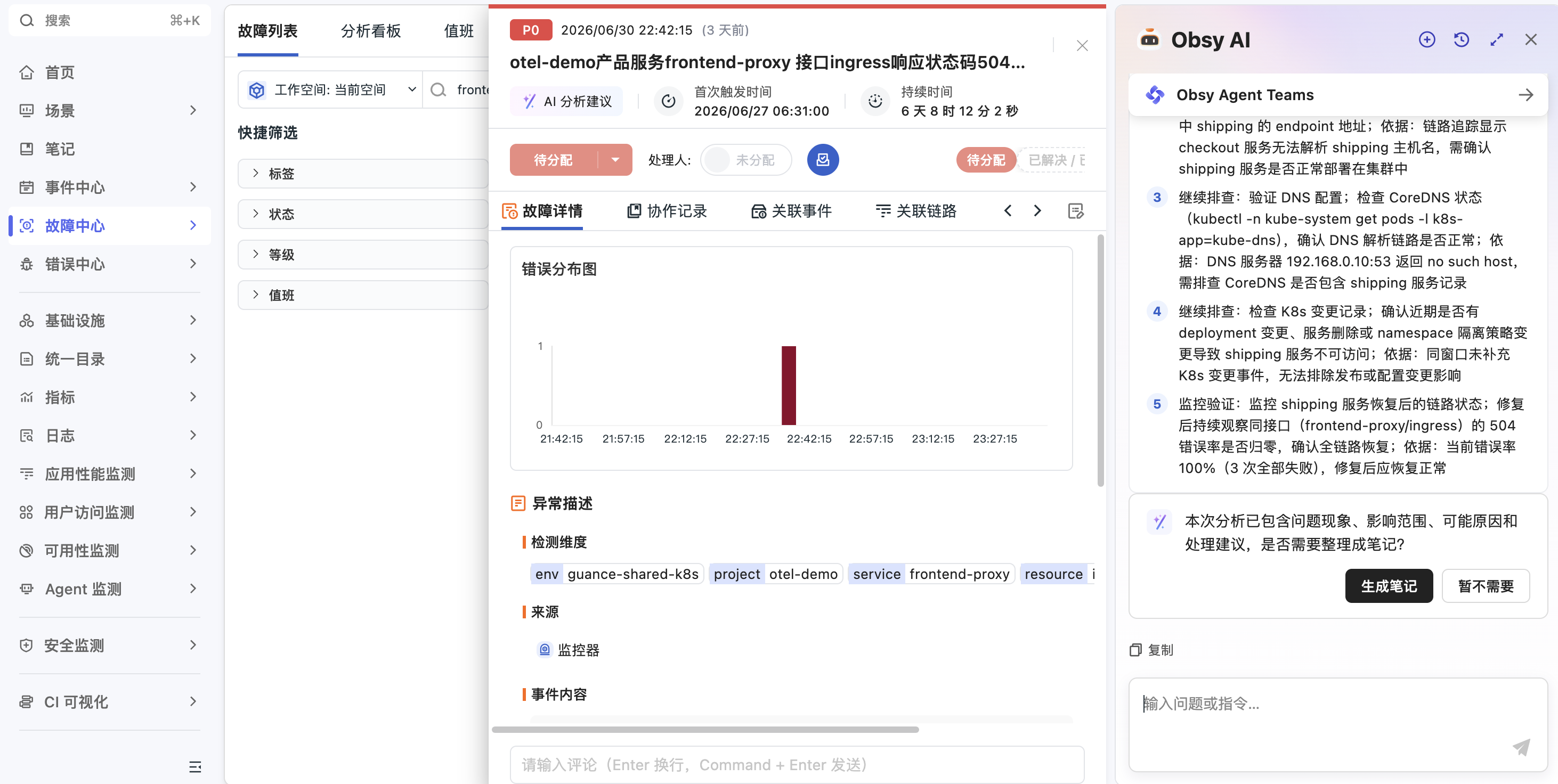
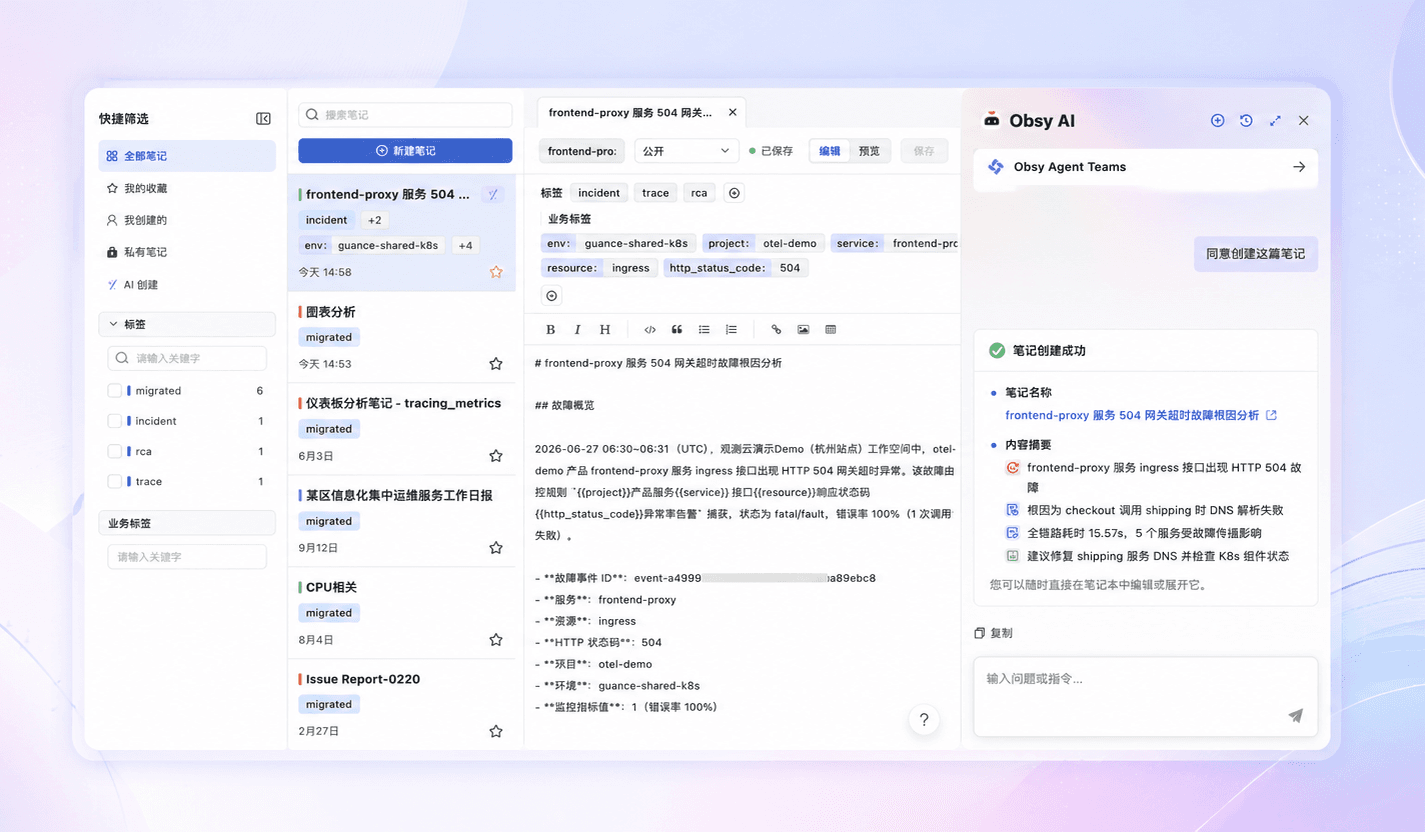
AI analysis and then discard? Enable Obsy AI Copilot to generate structured notes with one click
- After Copilot completes alerts, logs, or dashboard analysis, it can organize the problem, impact scope, root cause assessments, and recommendations into notes.
- Notes retain the analysis process, data charts, business tags, and creation sources, allowing further editing and supplementation after creation.
- Analysis results are no longer confined to chat windows; they can be accessed into the team knowledge base and retrieved later.
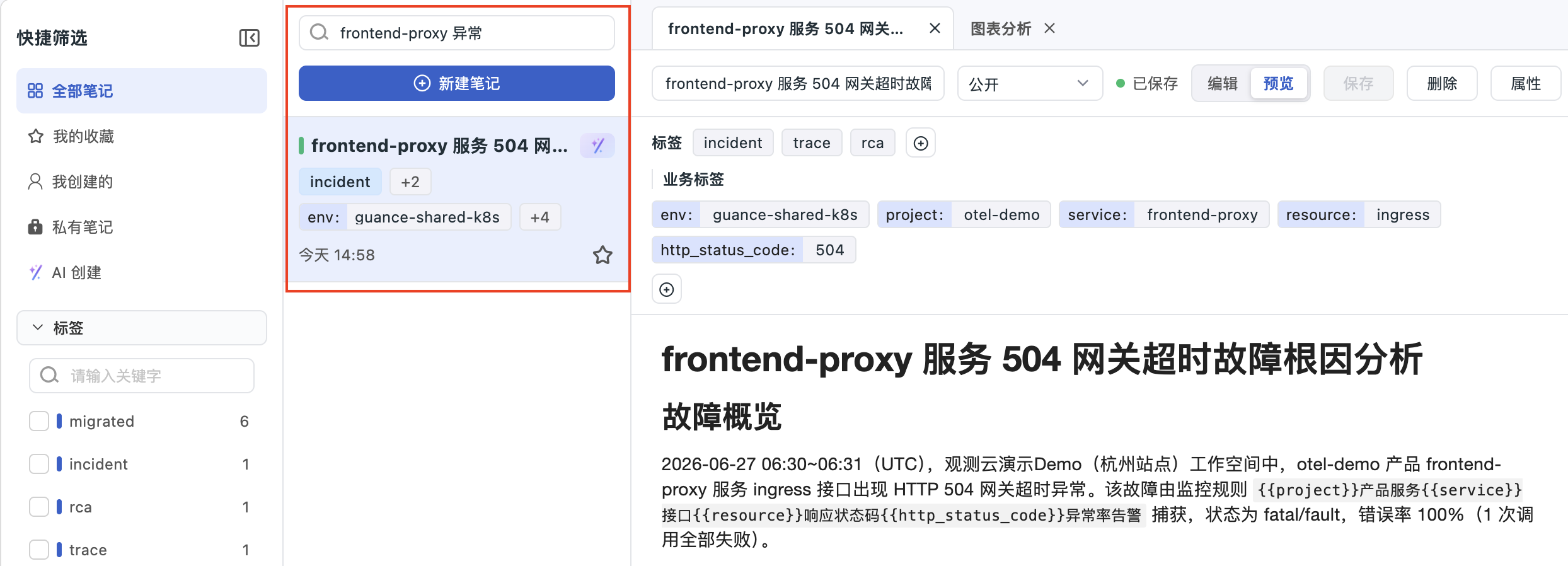
Repeat checks on similar issues? Reclaim historical experience through search and business tags
- Supports searching by title, content, generic tag, and business tag to quickly find history related to Frontend-proxy, Inner-API, or a specific dashboard.
- Distinguish notes created by using createdSource to distinguish between manual, Copilot, and Agent-created notes, making it easier to trace knowledge sources.
- Teams can accumulate private troubleshooting drafts into public knowledge, forming a reusable fault handling library.
Repeat checks on similar issues? Reclaim historical experience through search and business tags
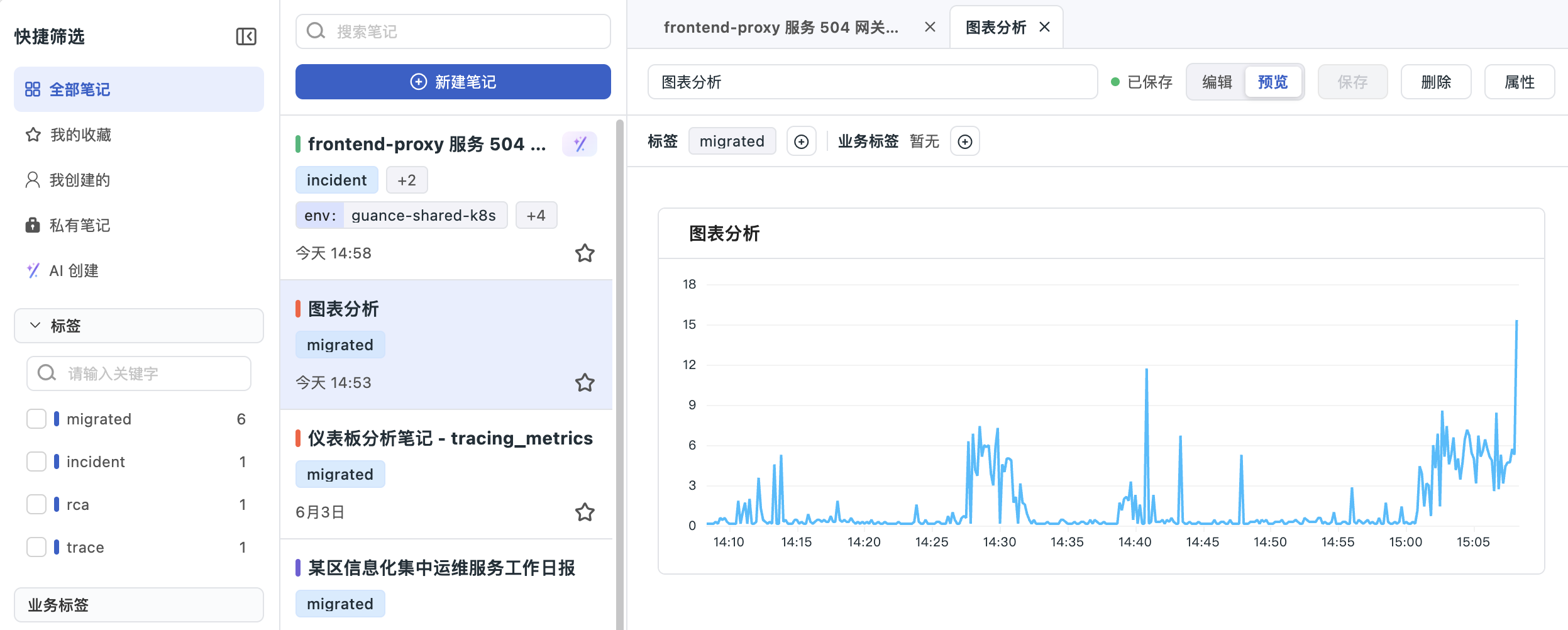
Will screenshots expire? Use Chart Block to preserve traceable data evidence
- Embed Chart Blocks such as time sequence charts, tables, numerical overviews, bar charts, and pie charts into Markdown notes.
- Notes preserve the query logic, DQL conditions, and chart context at the time, allowing the review to return to real data evidence.
- Clearer explanations of failure timelines, resource trends, alert nodes, and impact scope, making them easier for AI to read.
Agent also needs long-term memory? Let notes become the knowledge layer of Agent Teams
- Guance Agent Teams Automatically recall related notes by service, host, alert, incident, and tagKV.
- Alarm response, routine inspections, fault collaboration, and review reports can all be consolidated into structured notes.
- Notes written by humans, copilot-assisted generation, Agent continuous reuse, bringing team experience into actionable AI Agent workflows.
Agent also needs long-term memory? Let notes become the knowledge layer of Agent Teams

Frequently asked questions

What is the difference between Guance notes and regular documents?

Ordinary documents usually only store the text content. Guance notes are associated with observation objects such as services, hosts, dashboards, and databases, and can embed charts, queries, and business tags, making them suitable for accumulating troubleshooting evidence and reviewing experience.

What is the purpose of the business tagKV?

tagKV can precisely bind notes to business objects such as service, host, dashboard, database, etc. When reviewing these objects or performing AI analysis later, the relevant historical notes can be directly recalled.

Can Obsy AI Copilot automatically create notes?

Yes, it can. After Copilot completes alerts, logs, or dashboard analysis, it can generate structured notes based on the problem phenomenon, impact scope, possible causes, and handling suggestions. After user confirmation, these can be saved to the platform.

Is the Chart Block in the notes a static screenshot?

No. Chart Block retains query logic and chart configuration, and can render time sequence charts, tables, numerical overviews, and other data views in notes, making it more suitable for review and secondary analysis than regular screenshots.

Guance Agent Teams How do you use notes?

Agent Teams Before analyzing alerts or performing tasks, retrieve relevant notes by business object and tag, reuse team history handling experience, and improve the accuracy of root cause judgment and handling recommendations.

Explore more

Resources and further reading

Choose the next step from product documentation, related solutions, and technical guidance.

Related reading

Selected product practices, troubleshooting guidance, and technical solutions

Let the team's experience remain, and let Agent learn to use it

Book a demo