Contact us

Join the community

Scan with WeChat
Join the official community group

Try Guance

Start online with usage-based pricing and a true cloud service.

Get started

Choose a Guance edition

Code repositories

Collaboration

Smarter ways to collaborate

Guance collaboration capabilities distill dashboards, snapshots, notes, monitoring alerts, and troubleshooting processes into a shared team-based context, helping R&D, SRE, operations, and business teams work together on the same evidence chain.

Smarter ways to collaborate
Book a demo
Clearing obstacles is not a one-person matter; accumulate evidence and conclusions
During a single troubleshooting, query conditions, charts, anomalies, judgment conclusions, and handling actions should all be retained. Guance through notes, snapshots, dashboards, and alert channels, team members can share the same context, and new members can understand problem-solving thinking along historical records.
Clearing obstacles is not a one-person matter; accumulate evidence and conclusions
Use a unified dashboard to carry team consensus, not just personal collections
Teams can organize commonly used services, core metrics, log queries, link entries, and business data into a unified dashboard. Through chart components, DQL queries, and association jumps, duty, R&D, and business teams can quickly enter the same analytical perspective.
Save key queries as snapshots to reduce redundant interpretations
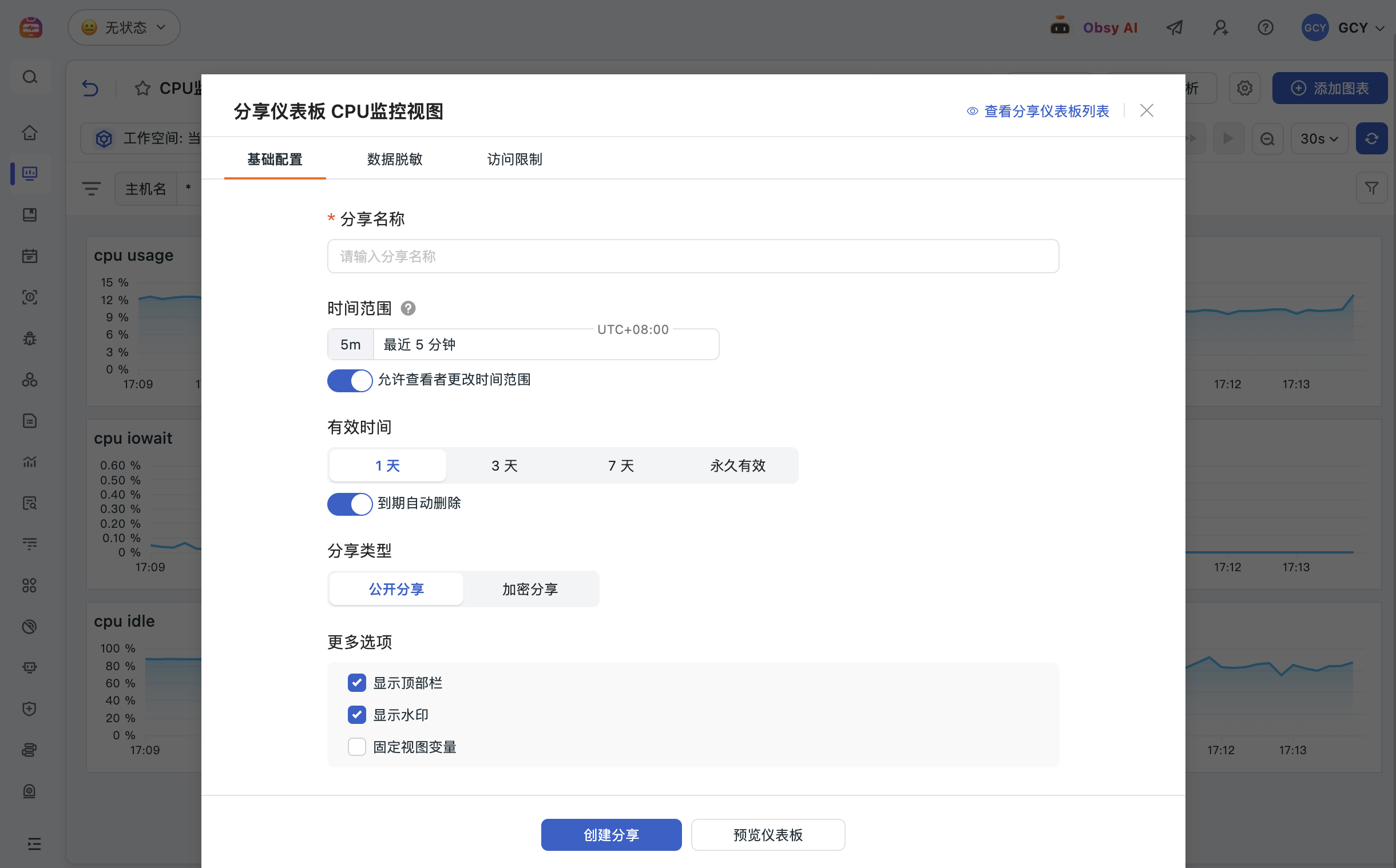
Snapshots can save charts, filter criteria, and time ranges, making them ideal for evidence sharing during troubleshooting, review, cross-departmental communication, or external collaboration. Team members can open snapshots and return to the same data scene without relying on screenshots or verbal descriptions to restore issues.
Save key queries as snapshots to reduce redundant interpretations
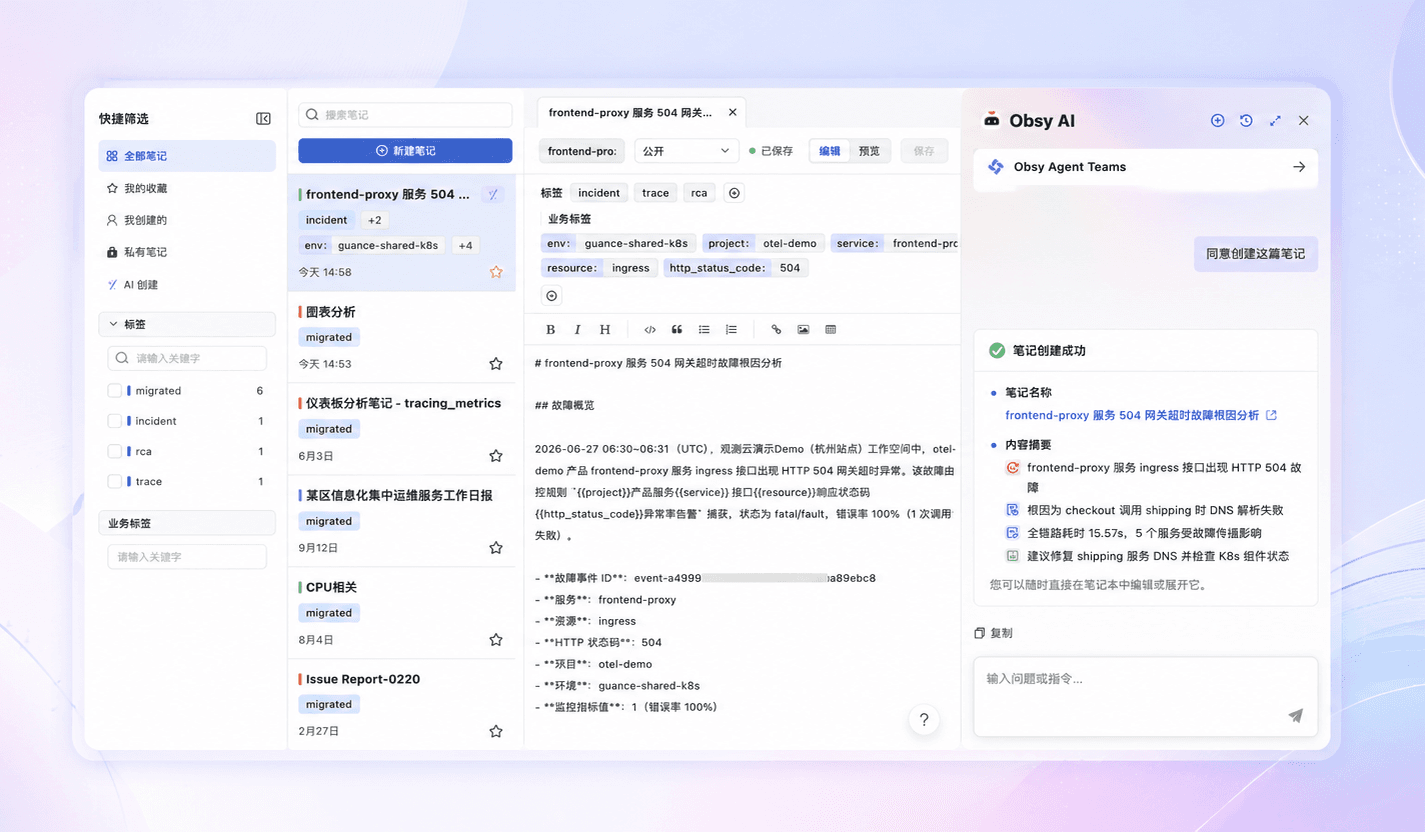
Use notes to record the troubleshooting process, allowing experience to be reused
Notes are suitable for recording troubleshooting paths, chart evidence, SQL or DQL fragments, root cause judgments, and subsequent actions. During review, teams can return relevant data and views from notes, turning one processing experience into reusable methods for the next time.

Frequently asked questions

What problems does Guance collaboration solve?

It solves the problem of troubleshooting processes that only exist in personal queries, screenshots, and group chats, and through dashboards, snapshots, notes, and contextual links, it accumulates evidence, judgment, and handling processes as team assets.

What scenarios are snapshots suitable for?

Snapshots are suitable for saving a query site, including charts, filter criteria, and time ranges, and are commonly used for fault synchronization, review, cross-team communication, and external collaboration.

How do notes and dashboards help new members get started?

Teams can consolidate commonly used troubleshooting views, diagnostic methods, and handling conclusions into dashboards and notes, while new members can follow historical records to understand systems, issues, and troubleshooting paths.

Explore more

Resources and further reading

Choose the next step from product documentation, related solutions, and technical guidance.

Related reading

Selected product practices, troubleshooting guidance, and technical solutions

Want to see how multi-platform collaboration is implemented in your business system?

Book a demo