






Phone:400-882-3320
Review SAP system health with runtime context
Align the evidence: Place configured SAP metrics beside host, database, storage, network, and operational events on the same timeline.

Incident Management

Platform
Dedicated compute
Dedicated compute keeps concurrent queries stable and complex analysis fast.
Learn moreDedicated compute
Dedicated compute keeps concurrent queries stable and complex analysis fast.
Learn more
Scan to follow
Guance WeChat

Scan to add
Guance assistant
What SAP monitoring should answer
A useful workflow aligns configured SAP metrics with system, database, infrastructure, time, and ownership context. Current integration documentation—not a generic solution page—defines the actual collection scope and onboarding requirements.
Guance documents a RedPeaks SAP Agent/Collector onboarding path and lists AIX SAP collection among its integrations. Teams should confirm the target SAP landscape, integration prerequisites, supported fields, permissions, deployment architecture, and support process before publishing or relying on coverage.
SAP and infrastructure views are separated: Basis, application, database, and infrastructure teams often investigate the same slowdown with different evidence.
Production change requires caution: Collection design must respect the stability, access, maintenance, and change controls of critical ERP systems.
Landscape scope varies: SAP products, databases, operating systems, versions, custom code, and hosting models differ by organisation.
Technical symptoms need business priority: Response time and resource pressure matter most when tied to a critical transaction, job, or operating window.
Confirm the documented integration path: Validate RedPeaks onboarding, AIX collection, prerequisites, permissions, and supported scope for the target landscape.
Align SAP and resource timelines: Compare configured SAP system signals with host, database, storage, network, log, and event evidence.
Prioritise critical operating windows: Design dashboards and monitors around agreed transactions, jobs, batch windows, dependencies, and owners.
Verify changes with the same evidence: Use stable queries and filters before and after remediation, scaling, configuration, or deployment changes.
Align the evidence: Place configured SAP metrics beside host, database, storage, network, and operational events on the same timeline.
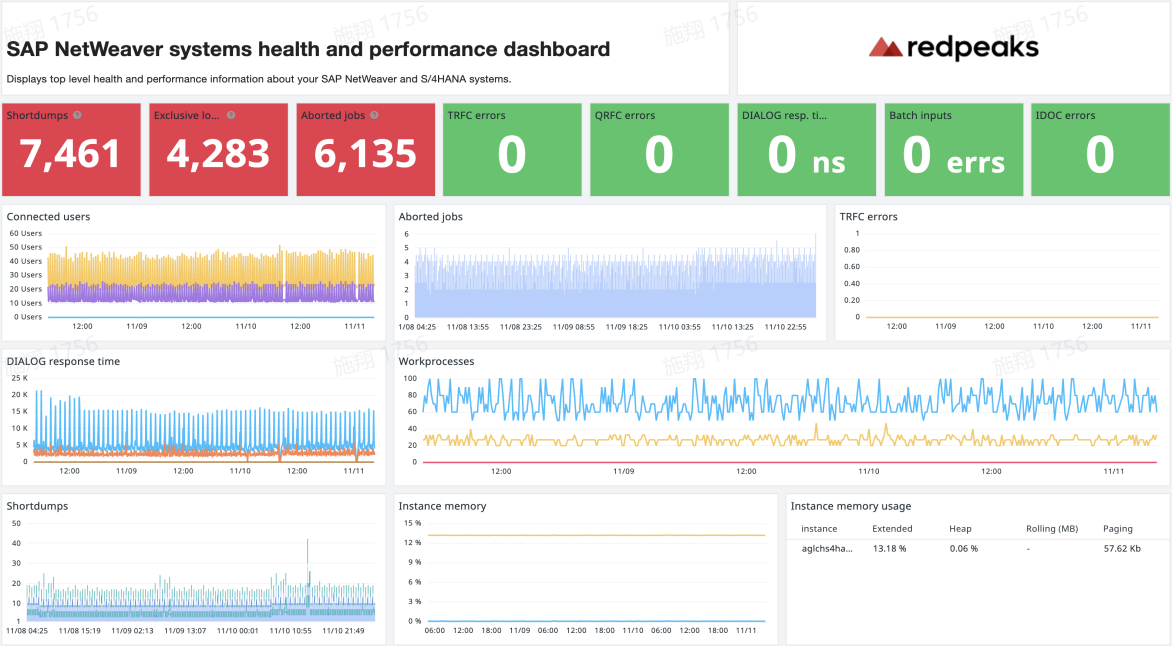
Avoid premature conclusions: Compare database waits and resource behaviour with the affected SAP workload and time window.
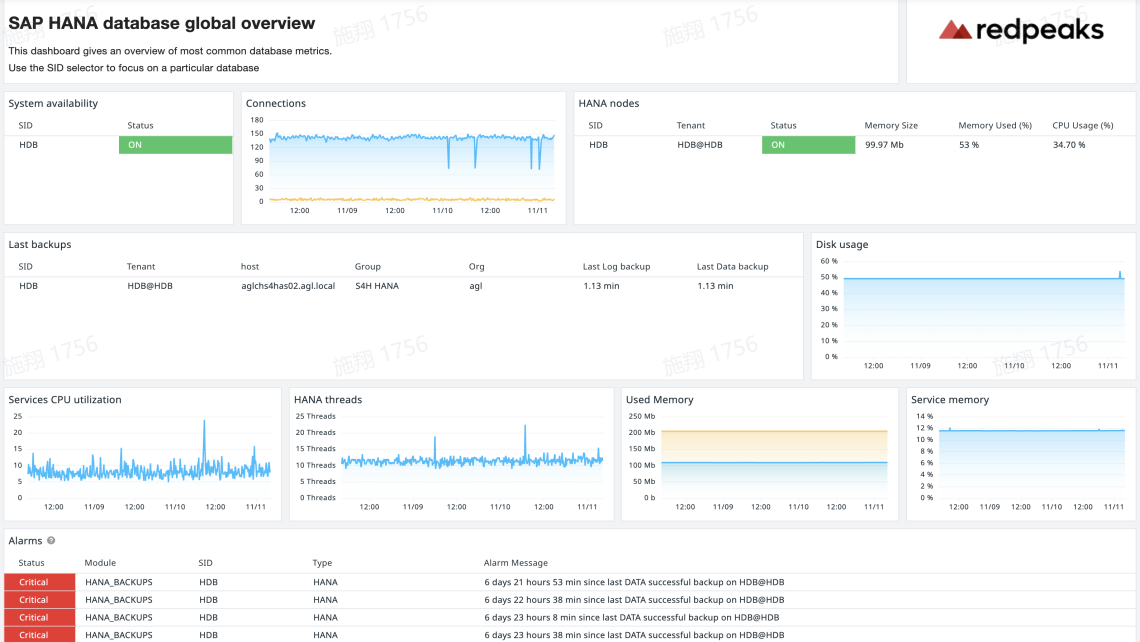
Define business context: Associate agreed system signals with critical processes, operating windows, severity, and accountable teams.
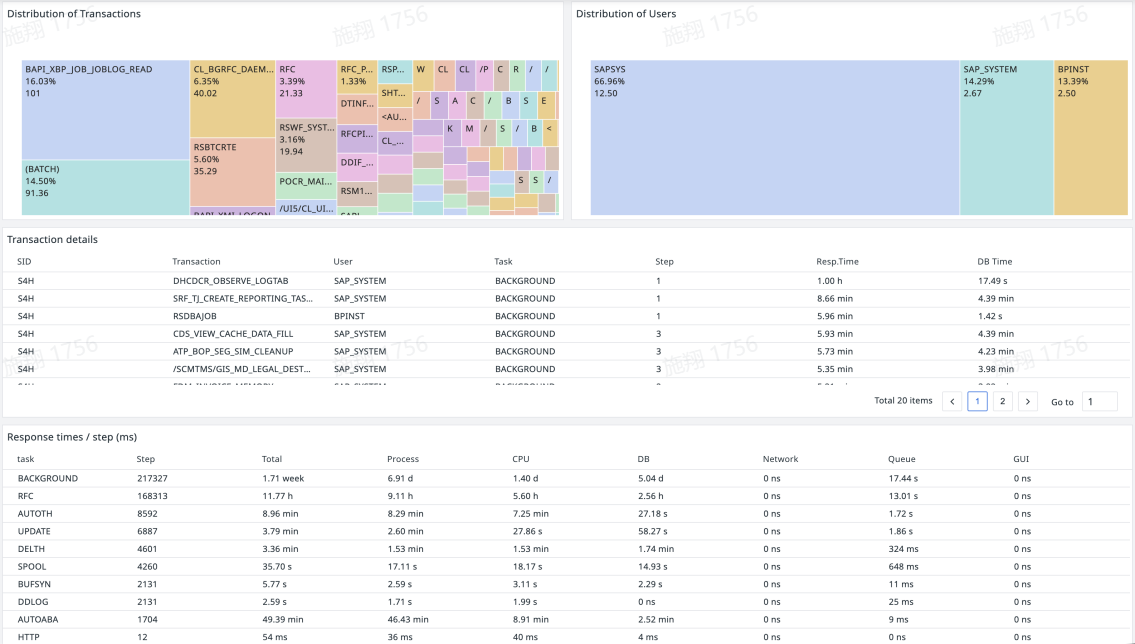
The current Guance catalogue documents RedPeaks SAP system metric collection and an AIX SAP integration. Confirm the exact SAP products, versions, databases, fields, and deployment prerequisites with the current integration documentation and onboarding team.
The current Guance documentation describes installing the RedPeaks Agent/Collector, preparing a supported VM host, and contacting Guance technical support for subsequent onboarding.
Yes when the relevant SAP and infrastructure signals are both collected with compatible timestamps and identifiers. The available correlation depends on the integration design and reported fields.
Do not assume a universal answer. Validate the selected collector, interfaces, privileges, target systems, and production change process during solution design.
