观测云对接 Fluentd 采集业务日志最佳实践
通过集成 Fluentd ,支持上报 Fluentd 的日志到观测云控制台进行更进一步的日志查询和分析。

概述
Fluentd 是一个开源数据收集器,专为简化日志管理和使日志数据更加易于访问、使用而设计。作为一个高度可扩展的工具,它能够统一数据收集和消费过程,使得构建实时分析的日志系统变得更加高效。
观测云目前已集成 Fluentd ,可以上报 Fluentd 的日志到观测云控制台进行更进一步的日志查询和分析。
对接 Fluentd 采集业务日志
前提条件
- td-agent >= 4.2.x
部署 DataKit 采集器
# 需要把token 改成观测云空间的实际token值(可在观测云控制台-->集成-->Datakit 上面获取)
DK_DATAWAY="https://openway.guance.com?token=tkn_xxxxxx" bash -c "$(curl -L https://static.guance.com/datakit/install.sh)"
开启 LogStream
cp /usr/local/datakit/conf.d/log/logstreaming.conf.sample /usr/local/datakit/conf.d/log/logstreaming.conf
重启 DataKit
# 在主机终端输入命令
datakit service -R
查看采集器是否开启
# 在主机终端输入命令
datakit monitor
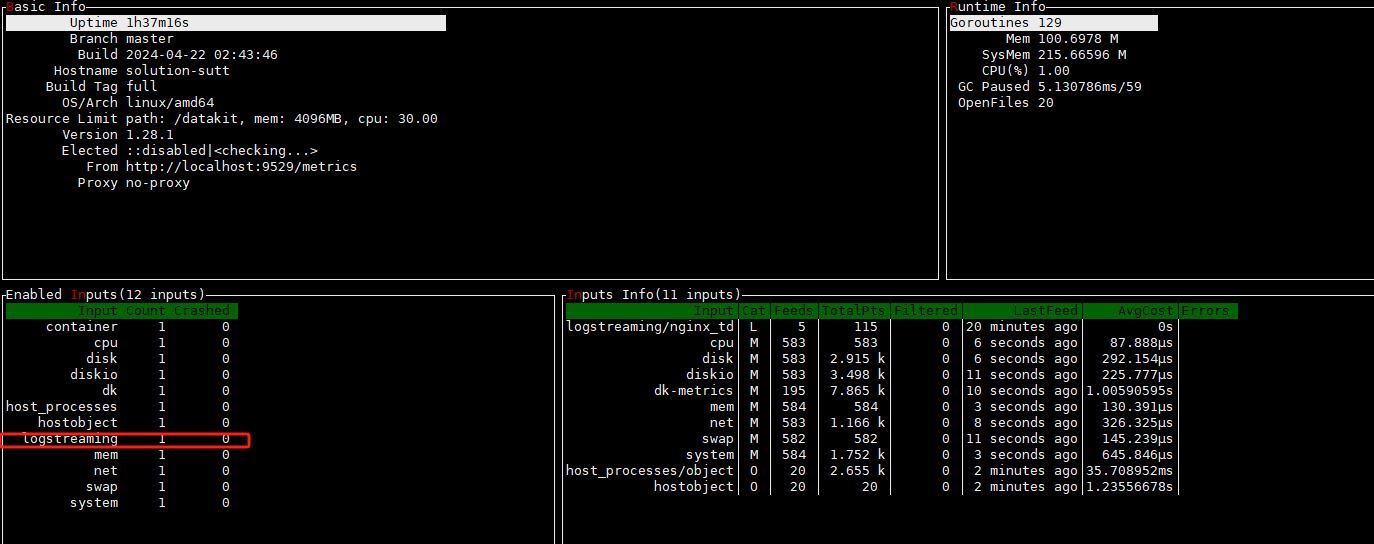
修改 td-agent 文件
以 nginx 日志为例,可以通过 Fluentd 采集 nginx 日志,并发送给 DataKit 上报至观测云平台进行分析。
vim /etc/td-agent/td-agent.conf

<source>
  @type tail
  format ltsv
  path /var/log/nginx/access.log
  pos_file /var/log/buffer/posfile/access.log.pos
  tag nginx
  time_key time
  time_format %d/%b/%Y:%H:%M:%S %z
</source>

##收集的数据由http协议转发至本地 DataKit
## nginx output
<match nginx>
  @type http
  endpoint http://127.0.0.1:9529/v1/write/logstreaming?source=nginx_td&pipeline=nginx.p
  open_timeout 2
  <format>
    @type json
  </format>
</match>
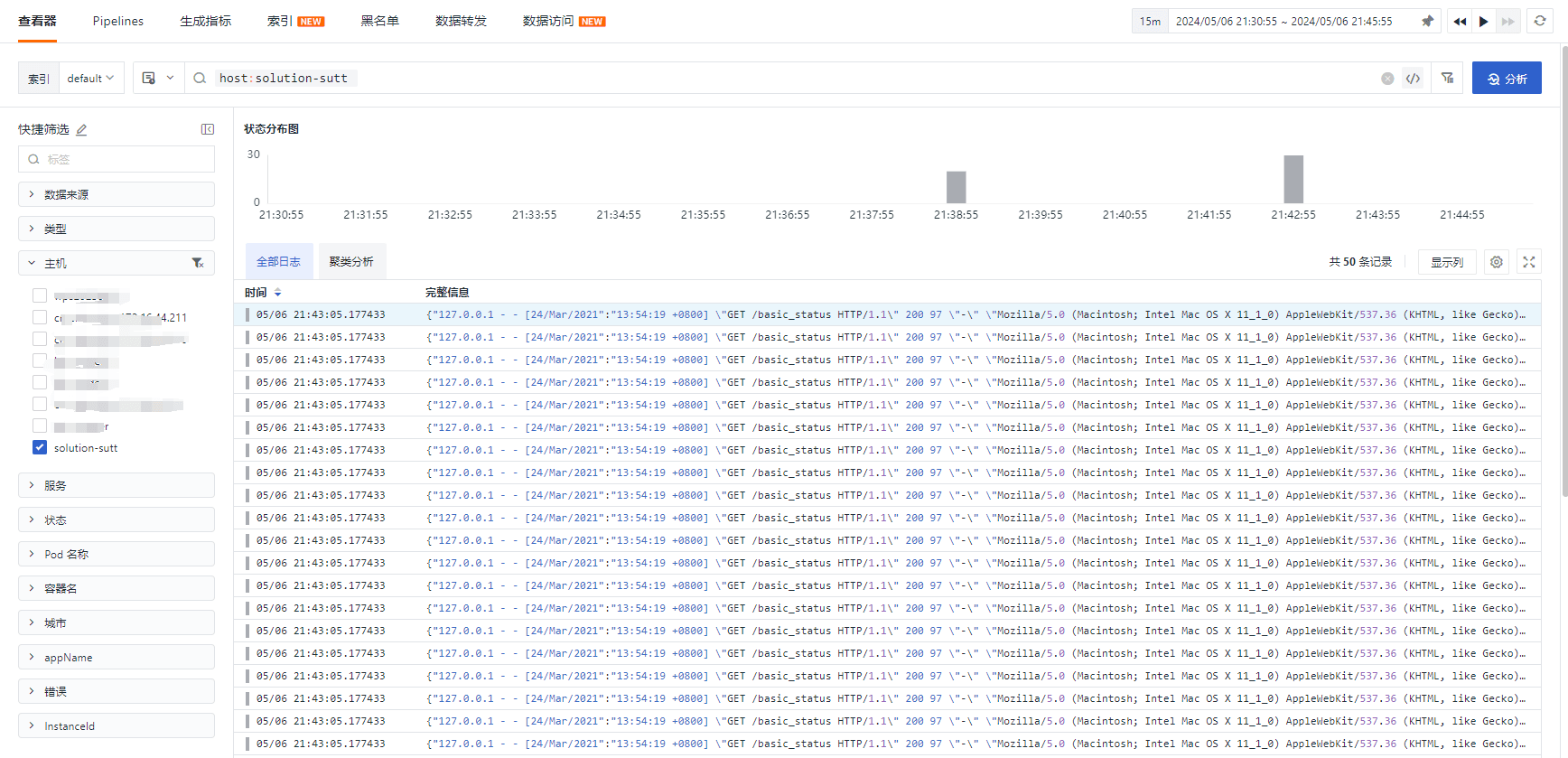
日志示例:
127.0.0.1 - - [24/Mar/2021:13:54:19 +0800] "GET /basic_status HTTP/1.1" 200 97 "-" "Mozilla/5.0 (Macintosh; Intel Mac OS X 11_1_0) AppleWebKit/537.36 (KHTML, like Gecko) Chrome/89.0.4389.72 Safari/537.36"
重启服务
sudo systemctl restart td-agent
观测云查看上报的数据
Get a tailored plan
Contact us
Join the community

Scan with WeChat
to join the community
to join the community
Try Guance
Start online and pay only for what you use.
Get startedChoose a Guance plan