Mobile RUM

Find the cause of poor mobile experience

Guance Mobile RUM monitors supported iOS, Android, mini-program, and cross-platform applications. App starts, screens, freezes, crashes, ANRs, requests, user journeys, and Mobile Session Replay stay connected to version, device, network, APM trace, and log context.

Find the cause of poor mobile experience

What Mobile RUM helps you solve

See which users, devices, versions, and journeys a mobile issue affects

Mobile regressions often cluster around a device model, OS, network, app version, or release. Guance keeps performance, crash, request, replay, and business context together so teams can size the impact, reproduce the journey, and identify whether the problem is in the app, network, API, or backend.

Use one experience model across supported mobile and cross-platform apps
Collect app-start, screen, resource, request, error, and journey data from documented iOS, Android, mini-program, React Native, Flutter, UniApp, Unity, and other supported SDKs. Exact signals and platform coverage depend on the selected integration and version.
View documentation
Use one experience model across supported mobile and cross-platform apps
A user reports a slow, frozen, or crashing app. Find the affected slice first
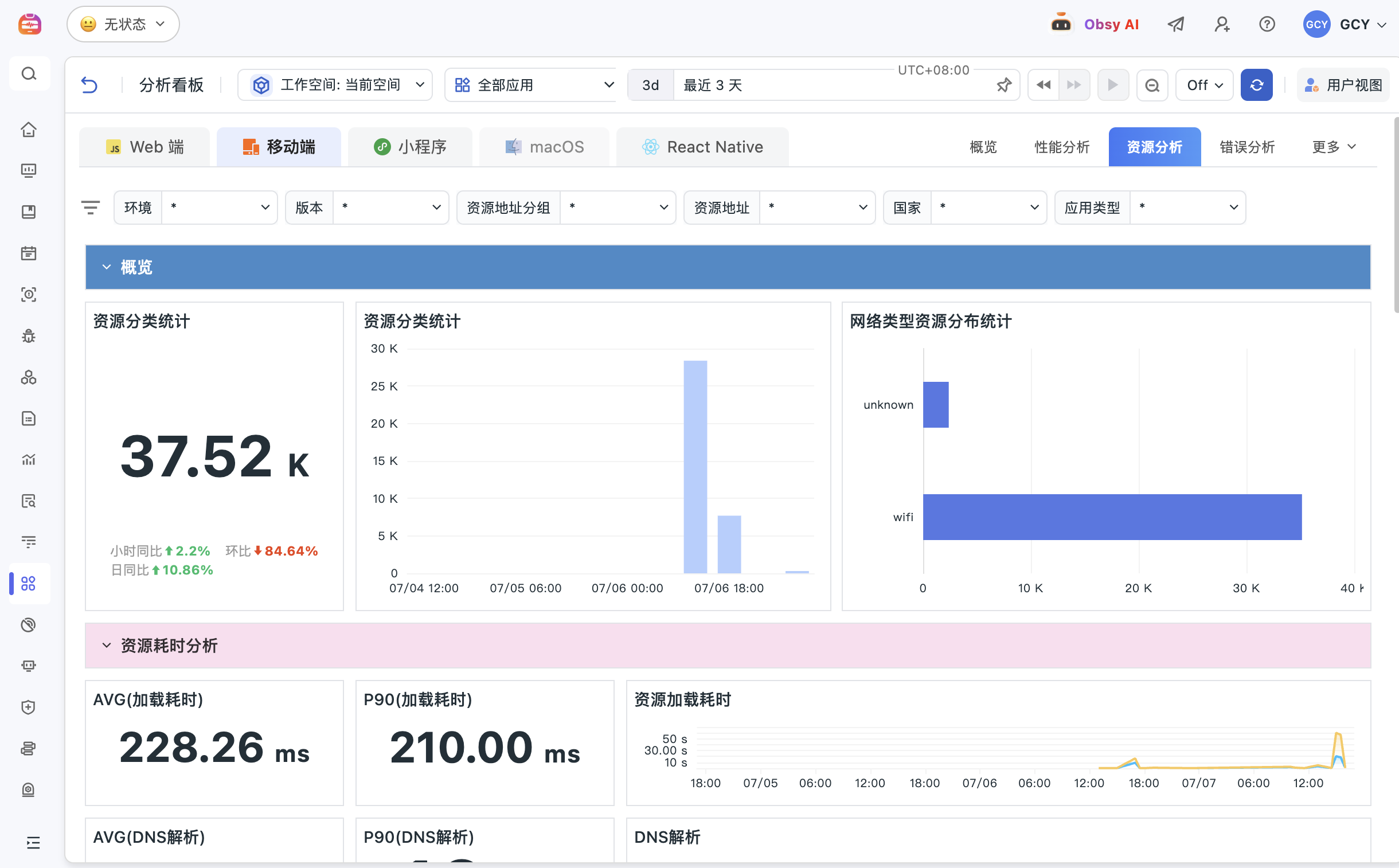
Compare cold and warm starts, screen loading, main-thread freezes, crashes, ANRs, and request failures by device, OS, app version, geography, screen, and user. This separates a broad regression from a problem limited to one release or environment.
View documentation
Replay what happened before the crash or stalled screen
Use Mobile Session Replay where supported to inspect gestures, screen transitions, foreground and background changes, and the path around an error. Combine the replay with device context, stack evidence, and network requests instead of relying on a user description alone.
View documentation
Replay what happened before the crash or stalled screen
Follow a slow mobile request into its backend trace and logs
When trace propagation and common tags are configured, continue from a mobile action or resource request into backend service latency, errors, logs, and infrastructure. This helps distinguish rendering, device, network, API, and downstream-service causes.
View documentation
Measure whether performance and reliability affect retention or conversion
Attach user, channel, version, and business-event attributes to important actions such as login, submit, order, and payment. Compare starts, freezes, crashes, and request latency with completion and drop-off by the segments that matter to the product.
View documentation
Measure whether performance and reliability affect retention or conversion

Frequently asked questions

What is Mobile RUM?

Mobile Real User Monitoring captures performance and behavior from actual mobile sessions, including app starts, screens, requests, crashes, freezes, errors, journeys, device context, and supported replay data.

Which mobile platforms can Guance monitor?

Guance documents SDKs and integrations for iOS, Android, mini-programs, React Native, Flutter, UniApp, Unity, and other environments. Available signals depend on the platform, SDK version, and configuration.

How does Mobile RUM help investigate crashes and ANRs?

Teams can segment crashes, freezes, ANRs, and errors by app version, device, OS, screen, region, and user, then inspect available stack, request, replay, and backend trace context.

Can Mobile RUM measure business journeys?

Yes. Teams can add user and business-event attributes for flows such as login, order, payment, and submit, then compare journey completion with performance, crash, and request evidence.


Reliable, secure, and compliant

Visit the Trust Center
观测云稳定可靠与安全合规能力

Related reading

Connect mobile experience to releases, backend services, and business journeys

Explore Session Replay, web RUM, APM, digital experience, documentation, and pricing.

Get started > View documentation > View pricing >