Observability Collaboration

Keep investigation evidence in a shared workspace

Guance connects dashboards, snapshots, notes, alerts, and investigation links so development, SRE, operations, and business teams can work from the same time range, filters, charts, and conclusions instead of rebuilding context from screenshots and chat history.

Keep investigation evidence in a shared workspace

What collaborative observability helps you solve

Preserve the evidence behind a decision, not only the final message

A useful handoff includes the selected time range, filters, charts, queries, observations, and next action. Guance keeps those elements closer to the telemetry so another team can review the same evidence.


An investigation should outlive the person who ran the query
Keep the filters, charts, observed symptoms, conclusions, and response actions that shaped a decision. Notes, snapshots, dashboards, and alert links let another engineer follow the reasoning instead of starting from a partial screenshot.
View documentation
An investigation should outlive the person who ran the query
Use a shared dashboard as an operating view, not a personal bookmark list
Combine service health, key metrics, log queries, trace entry points, events, and business signals in one agreed view. DQL queries and contextual links give each team a direct path from the overview to the underlying evidence.
View documentation
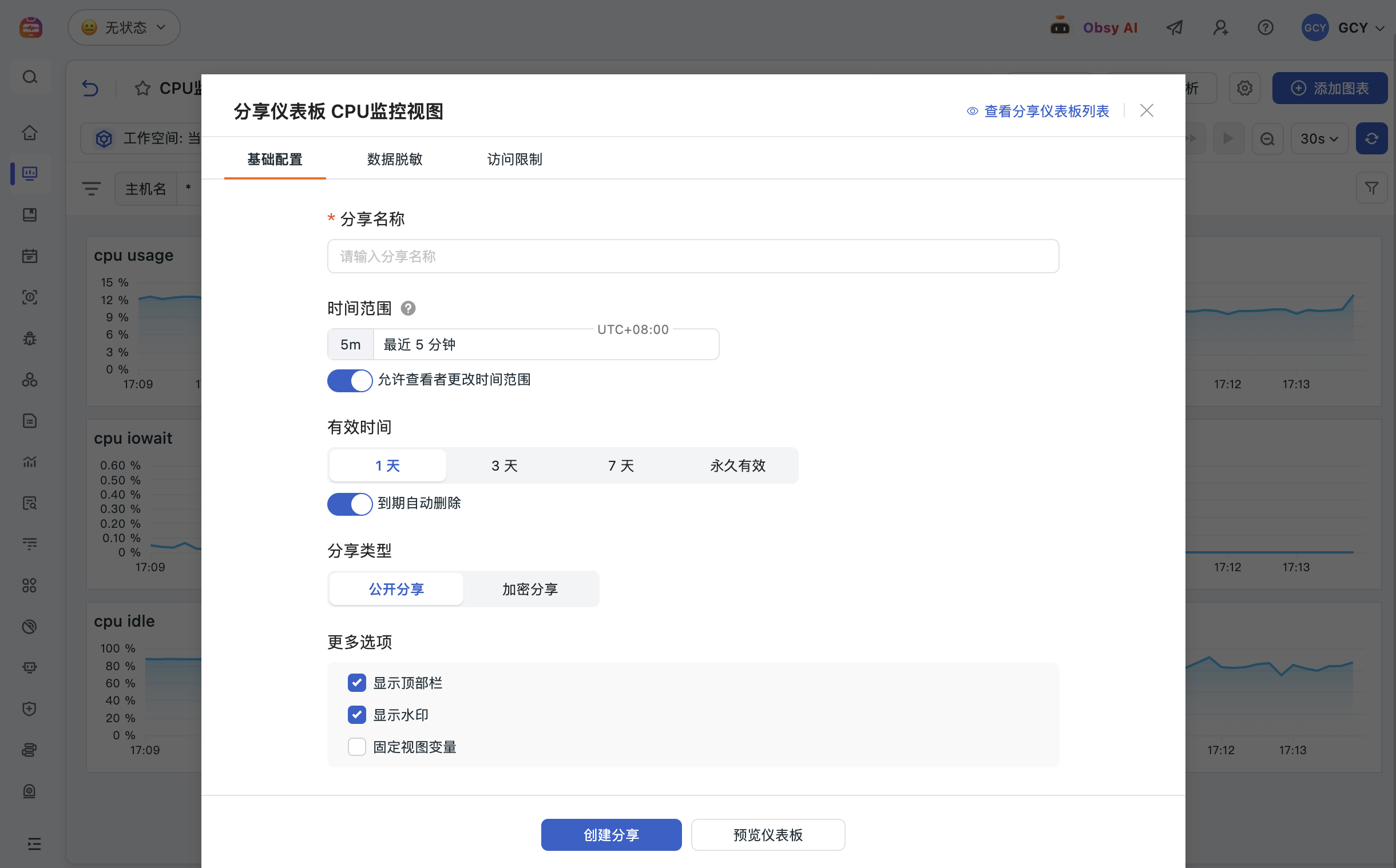
Save the relevant time and filters in a snapshot before context changes
A saved snapshot can preserve selected time and filter context for an investigation, review, or handoff. Apply appropriate visibility, sharing duration, masking, and access restrictions before distributing a snapshot outside its normal audience.
View documentation
Save the relevant time and filters in a snapshot before context changes
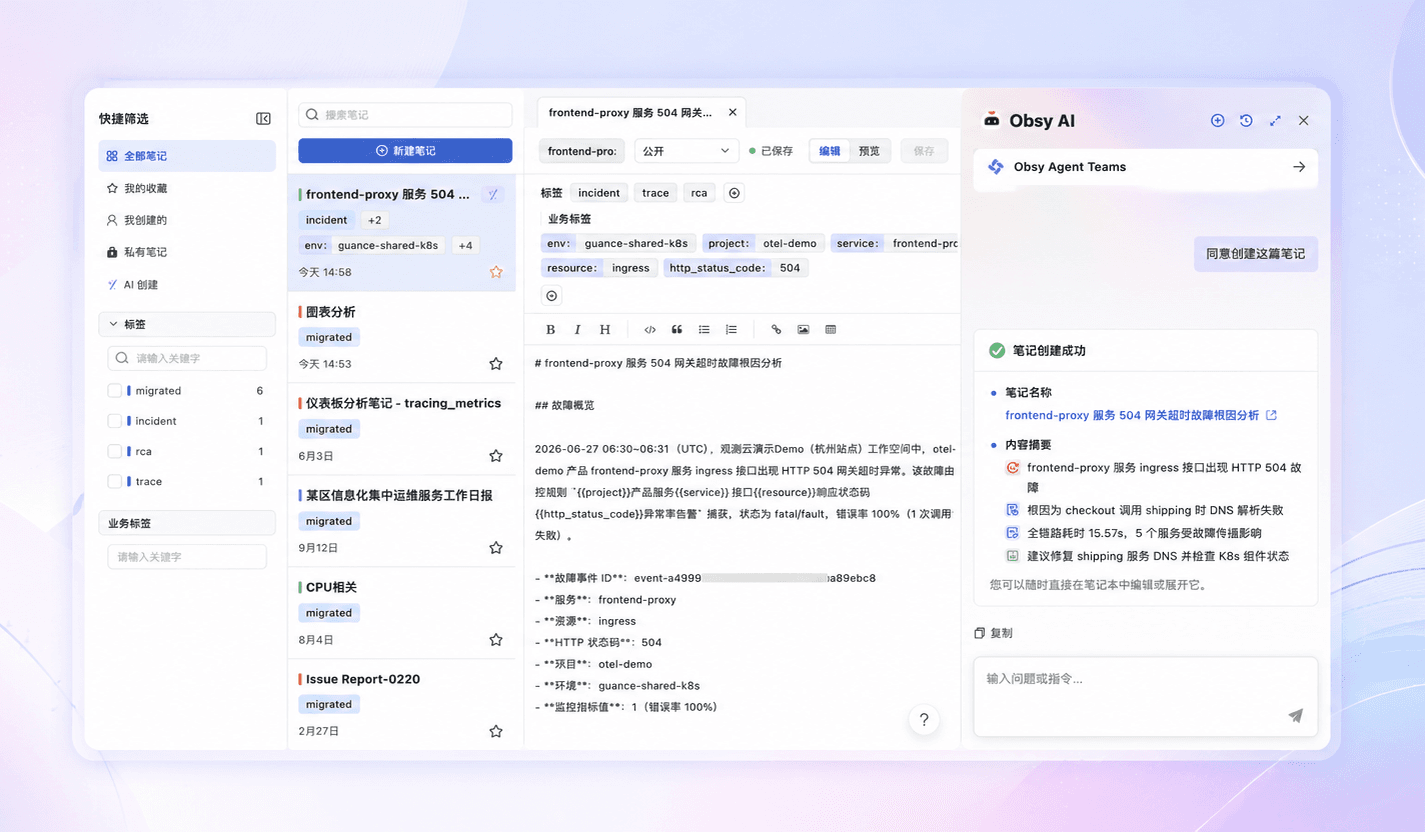
Use notes to connect narrative, live charts, queries, and follow-up actions
Document the investigation path, supporting charts, DQL or SQL fragments, root-cause assessment, and next actions. This creates a reusable postmortem or runbook entry that stays connected to observability evidence.
View documentation

Frequently asked questions

What problem does collaborative observability solve?

It keeps investigation context from fragmenting across personal queries, screenshots, and chat. Dashboards, snapshots, notes, and contextual links help teams review the same evidence and preserve the reasoning behind a response.

When should a team use a snapshot?

Use a snapshot when the selected time range, filters, and view need to be preserved for a handoff, incident update, postmortem, or approved external share. Review visibility and masking before sharing.

How do notes and dashboards help new team members?

Dashboards provide a repeatable operating view, while notes preserve investigation methods, evidence, and conclusions. Together they give a new member both the current system model and examples of how the team responds.

Connect shared evidence to incident and knowledge workflows

Explore Notes, dashboards, incident tracking, documentation, and pricing.

Get started > View documentation > View pricing >